Most Perfex CRM users track revenue by looking at paid invoices. That tells you where you have been — not where you are going. If you want to predict next quarter's revenue based on your actual pipeline data, you need a forecasting system that understands your CRM.
This guide shows how to turn your existing Perfex CRM data into reliable revenue predictions — using a combination of dashboard analytics and AI-powered forecasting.
The Revenue Visibility Problem in Perfex CRM
Out of the box, Perfex CRM gives you basic financial reports: invoices by status, payments by month, and overdue amounts. That is useful for accounting, but it does not answer the questions that matter for business planning:
- How much revenue will I close next quarter?
- Is my pipeline growing or shrinking?
- Which conversion rates are trending down?
- Where are the biggest risks in my current deals?
- Which clients are likely to generate the most revenue?
Spreadsheet exports and manual calculations can fill some of these gaps — but they are time-consuming, error-prone, and outdated the moment you export them.
What Good Revenue Forecasting Looks Like
A useful forecast is not a single number. It is a system that combines hard data (what your CRM already knows) with pattern analysis (what the trends suggest). Here is what that means in practice:
Pipeline Dashboard (Data You Already Have)
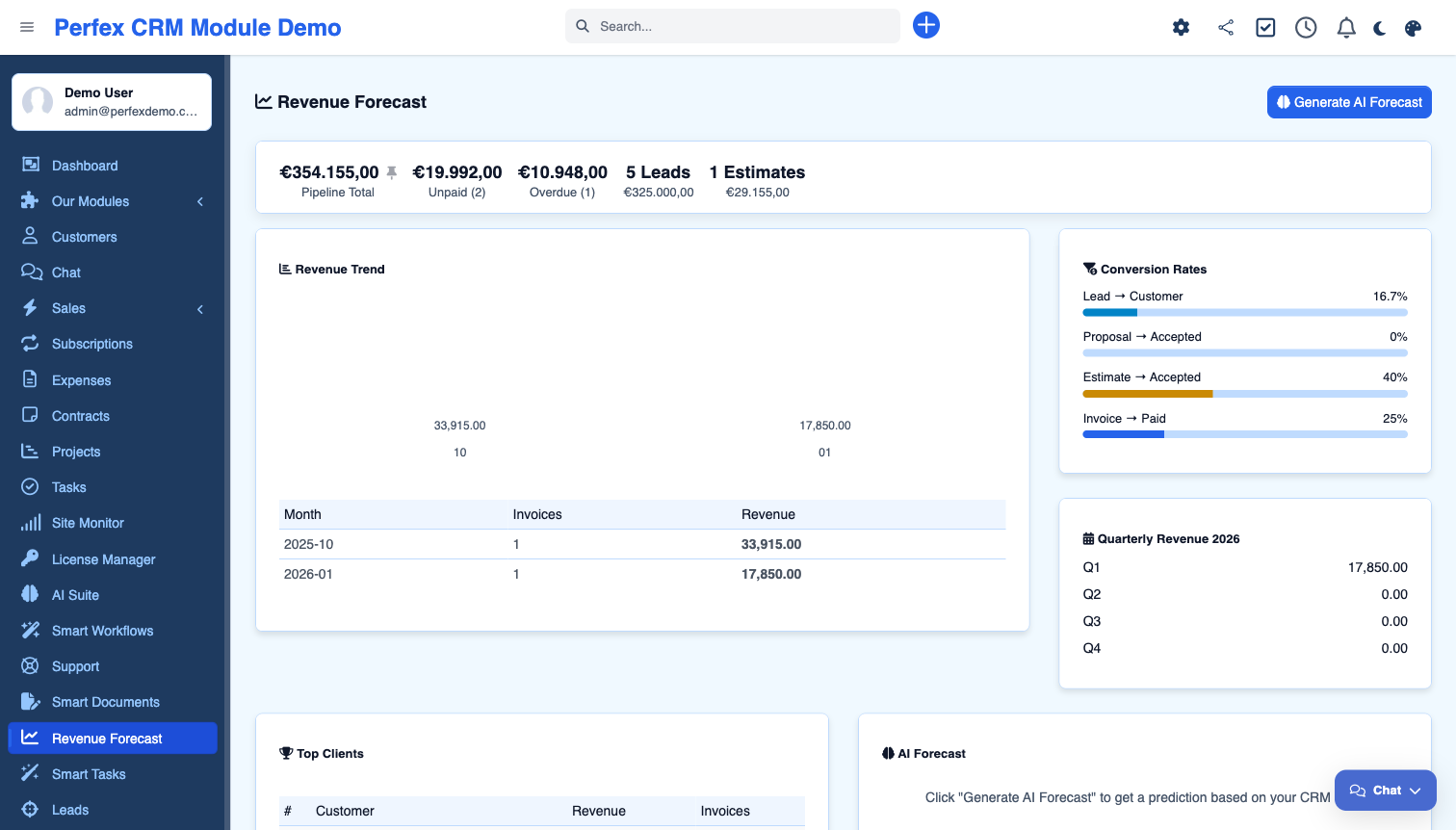
Your CRM contains everything needed for a solid revenue picture — you just need it visualized in one place:
- Pipeline total — sum of all active leads, open proposals, and pending estimates
- Unpaid invoices — money already earned but not yet collected
- Monthly revenue trends — 12-month view of paid invoices to spot seasonality
- Conversion rates — lead win rate, proposal acceptance, estimate acceptance, invoice payment rate
- Top client revenue — your biggest accounts ranked by total revenue
None of this requires AI. It is pure CRM data, properly calculated and displayed.
AI-Powered Predictions (Pattern Analysis)
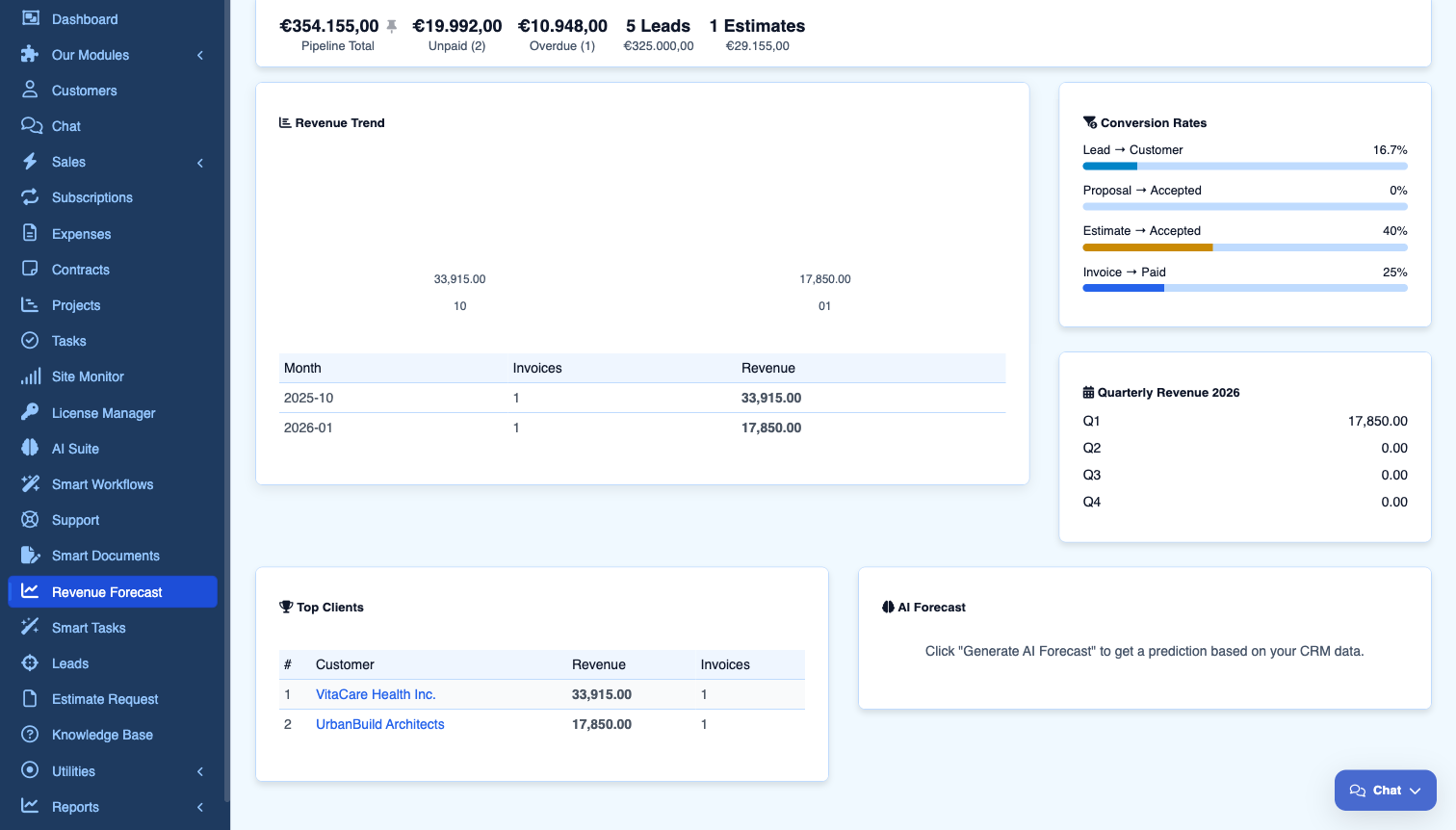
Where AI adds value is in synthesizing all this data into a forward-looking prediction. A good AI forecast should include:
- Predicted revenue for a specific period (next month or next quarter)
- Confidence score — how reliable the prediction is based on data quality
- Trend direction — is revenue likely to grow, stay stable, or decline?
- Key factors — what is driving the prediction (pipeline value, conversion trends, seasonal patterns)
- Risks and opportunities — specific warnings and suggestions based on your data
Why Conversion Rates Matter More Than Pipeline Size
A common mistake is focusing on pipeline value alone. If your pipeline shows €100,000 in active deals, that sounds great — until you realize your lead win rate is 12% and your proposal acceptance rate dropped from 45% to 28% last quarter.
Revenue forecasting gets useful when it tracks conversion rates over time:
| Metric | What It Tells You | Warning Sign |
|---|---|---|
| Lead Win Rate | % of leads that become customers | Below 15% — lead quality or follow-up issue |
| Proposal Acceptance | % of proposals that get signed | Below 30% — pricing or scope problem |
| Estimate Acceptance | % of estimates that convert | Dropping trend — competitive pressure |
| Invoice Paid Rate | % of invoices paid on time | Below 80% — cash flow risk |
A healthy pipeline with declining conversion rates is a revenue problem waiting to happen. Catching it early is the whole point of forecasting.
How to Set Up Revenue Forecasting in Perfex CRM
The Revenue Forecast module adds all of this to Perfex CRM as an add-on to AI Suite. Here is how to get it running:
Step 1: Install AI Suite Core + Revenue Forecast
Revenue Forecast requires AI Suite Core (for AI provider access). Install both via Setup > Modules and configure at least one AI provider (OpenAI, Claude, Gemini, or any OpenAI-compatible endpoint via OpenRouter).
Step 2: Let the Dashboard Populate
The moment you activate the module, the dashboard calculates your pipeline KPIs, revenue trends, conversion rates, and top clients from existing CRM data. No configuration needed — it reads what is already in your database.
Step 3: Generate Your First AI Forecast
Click "Generate AI Forecast" and select a period. The AI analyzes your complete pipeline data and returns a prediction with confidence score, trend analysis, and actionable insights. Each forecast is saved so you can track prediction accuracy over time.
Better Data = Better Forecasts
AI forecasting is only as good as your CRM data. Here are the habits that make the biggest difference:
- Update lead statuses promptly — stale leads distort conversion rates and pipeline totals
- Close lost deals — leaving dead leads as "active" inflates your pipeline artificially
- Mark invoices as paid — unpaid invoice counts affect cash flow predictions
- Use proposals and estimates consistently — the more data points, the more patterns the AI can detect
- Review monthly — compare last month's forecast to actual results and adjust your workflow
After 3-6 months of clean data, AI forecasts become significantly more accurate because the model has enough history to detect seasonal patterns and trends.
Real-World Use Cases
Freelancers and Solopreneurs
When you are a one-person operation, revenue surprises hurt. A forecast dashboard shows you if next month looks thin before it happens, so you can reach out to leads, send follow-up proposals, or adjust spending.
Small Agencies (2-10 People)
Agencies need to plan capacity. If the forecast shows a revenue spike in Q3, that means hiring or subcontracting decisions need to happen now. If conversion rates are dropping, it is time to review your proposals or pricing.
Service Companies
Companies with recurring clients benefit from the top client reports. If your top 3 clients account for 60% of revenue and one of them has overdue invoices, that is a risk worth flagging immediately.
What It Costs
The Revenue Forecast module costs €39 (one-time) and requires AI Suite Core (€69). That is €108 total for a permanent revenue forecasting system inside your CRM.
The dashboard analytics (pipeline KPIs, trends, conversion rates) work without any AI costs. AI forecasts use your configured provider — typically €0.01-0.05 per prediction depending on the model.
For comparison: standalone forecasting tools like Clari, Gong, or InsightSquared start at $50-100/user/month. Even basic spreadsheet consulting costs more than the one-time module price.
Honest Limitations
No forecasting tool is perfect. Here is where this approach has limits:
- New businesses with little data — if you have less than 3 months of CRM history, predictions will be rough. The dashboard analytics still work, but AI forecasts need history to find patterns.
- Erratic revenue models — if your revenue comes from a few large, unpredictable deals, no model can reliably forecast that. The tool works best with a steady flow of leads and invoices.
- AI model quality matters — a cheap AI model produces weaker analysis. For best results, use GPT-4o, Claude Sonnet, or Gemini Pro.
- Not a replacement for sales intuition — the AI does not know that your biggest client just got acquired or that a competitor launched a similar product. Use forecasts as one input, not the only input.
Bottom Line
Revenue forecasting in Perfex CRM is not about installing a magic prediction button. It is about combining your existing CRM data with pattern analysis to make better decisions. The dashboard gives you the numbers. The AI gives you the interpretation. Together, they turn reactive accounting into proactive planning.
If you are running a business on Perfex CRM and making revenue decisions based on last month's invoices, you are driving by looking in the rearview mirror. A proper forecast gives you the windshield view.
Supercharge Your Perfex CRM
Explore our AI-powered modules — built by developers who use Perfex CRM every day.