
AI Suite
Bring OpenAI, Claude, Gemini, or any of 200+ OpenRouter models into your self-hosted Perfex CRM, using your own API keys — no subscription.
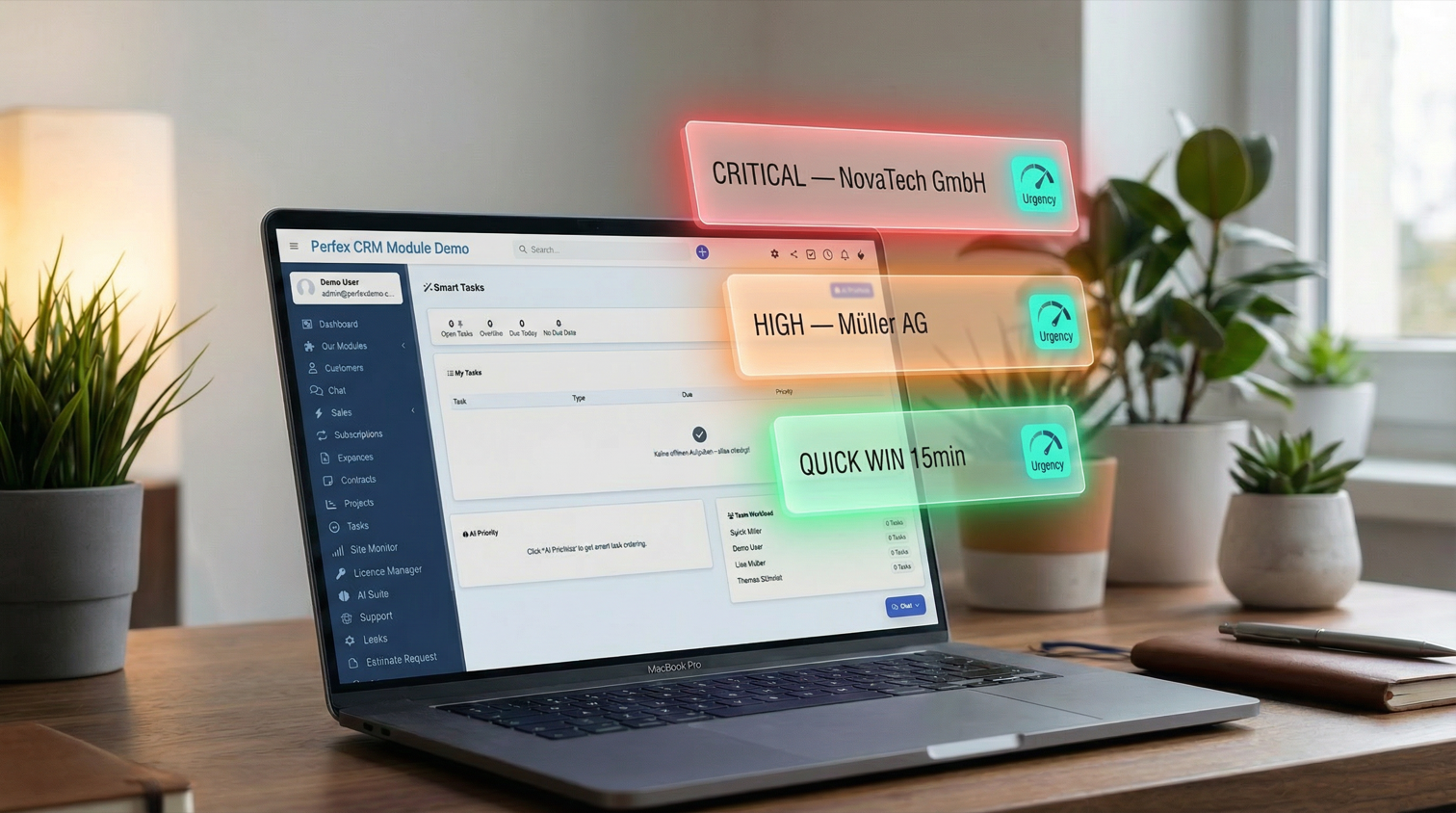
AI task prioritization, workload analysis, and daily focus
Includes 6 months of support & lifetime updates · Extend Support — €19/year
The teaser in under a minute.
AI analyzes your assigned open tasks and suggests an optimal priority order considering deadlines, dependencies, client importance, and the overall team workload.
Identifies tasks completable in under 30 minutes. Tackle quick wins first to build momentum and clear your task list.
AI detects potential blockers and bottlenecks in your task pipeline — overloaded team members, dependency chains, or stalled tasks.
Visual overview of task distribution across team members with task counts and overdue indicators for balanced workload management.
At-a-glance stats: open tasks, overdue tasks, due today, and tasks without due dates. Spot problems before they escalate.
Each prioritized task gets a clear urgency level (critical, high, medium, low) with AI reasoning for why it ranks where it does.
Screenshots from the actual module running inside Perfex CRM.
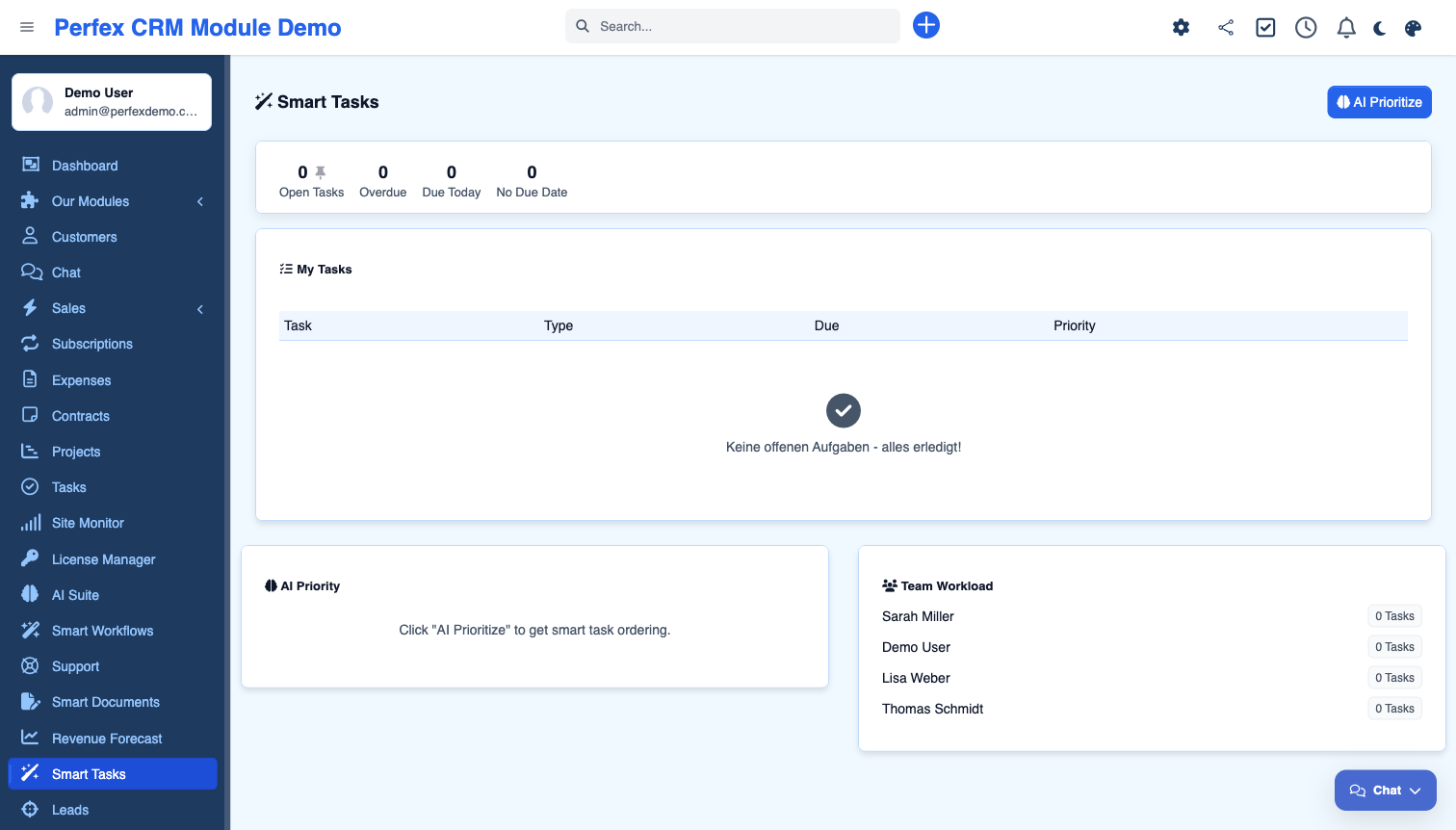
Stop wondering which task to work on next. Smart Tasks uses AI to analyze your open tasks, identify overdue items, detect bottlenecks, and suggest an optimal priority order. Features a dedicated dashboard with task statistics, team workload visualization, quick-win detection for tasks under 30 minutes, and AI-generated prioritization with urgency levels and reasoning.
Common questions about AI Suite — Smart Tasks.
Yes. Smart Tasks is an add-on that uses AI Suite Core for AI-powered prioritization. The task statistics and workload dashboard work without AI, but the prioritization feature requires a configured AI provider.
The AI considers multiple factors: overdue status, deadline proximity, client-facing urgency, dependency chains, team member workload, and task complexity. It returns a prioritized list with urgency levels (critical/high/medium/low) and reasoning for each ranking.
Quick wins are tasks the AI identifies as completable in under 30 minutes. Tackling these first gives your team momentum and reduces the total open task count quickly.
Yes. Task statistics (open, overdue, due today), your personal task list, and the team workload visualization all work directly from your CRM data. Only the "Prioritize" button requires an AI provider.
The AI prioritizes the tasks assigned to you — it orders your own open tasks into an optimal sequence. Separately, the team workload panel shows task distribution across all members, so managers can spot overloaded staff and rebalance work.
Get AI Suite — Smart Tasks and install it in minutes.
Bring OpenAI, Claude, Gemini, or any of 200+ OpenRouter models into your self-hosted Perfex CRM, using your own API keys — no subscription.
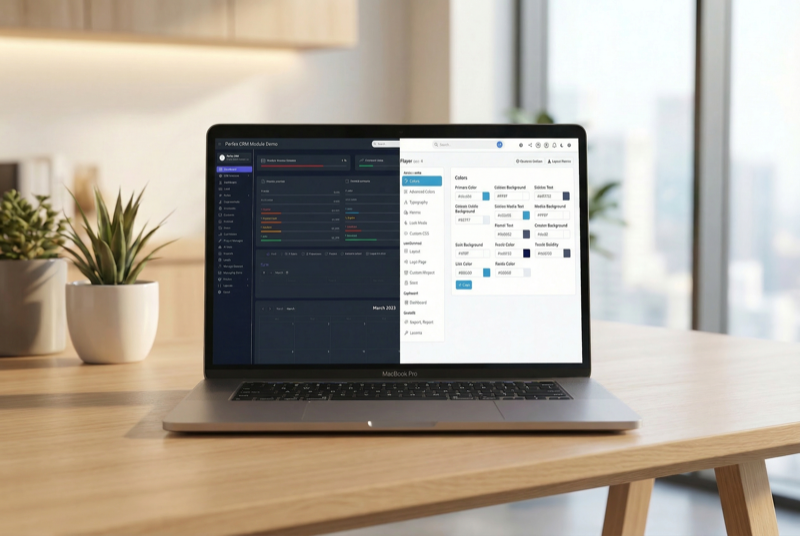
Make Perfex CRM feel like your own — themes, dark mode, a custom dashboard and Cmd+K speed

Assign contacts to multiple companies with roles