
AI Suite
Bring OpenAI, Claude, Gemini, or any of 200+ OpenRouter models into your self-hosted Perfex CRM, using your own API keys — no subscription.
Four new employees for a one-time €69 — they do the prep work, you decide. Right inside your Perfex CRM.
Includes 6 months of support & lifetime updates · Extend Support — €19/year
The teaser in under a minute.
Support Assistant, Lead Researcher, Receipt Collector, Meeting Minutes: four ready-made roles with a profile, rules and no-gos. You hire your new coworkers and adjust them — the prep work lands on your desk as drafts.
Every reply and every summary lands on your desk as a draft. You approve — or you do not. The module architecture makes autonomous actions impossible; this is not a switch anyone can flip.
Before a draft reaches you, the agent reviews its own work against its personnel file, scores it, and revises — until it clears your quality bar or the round budget runs out. You approve the version that already passed its own review; the round count and score show on every draft.
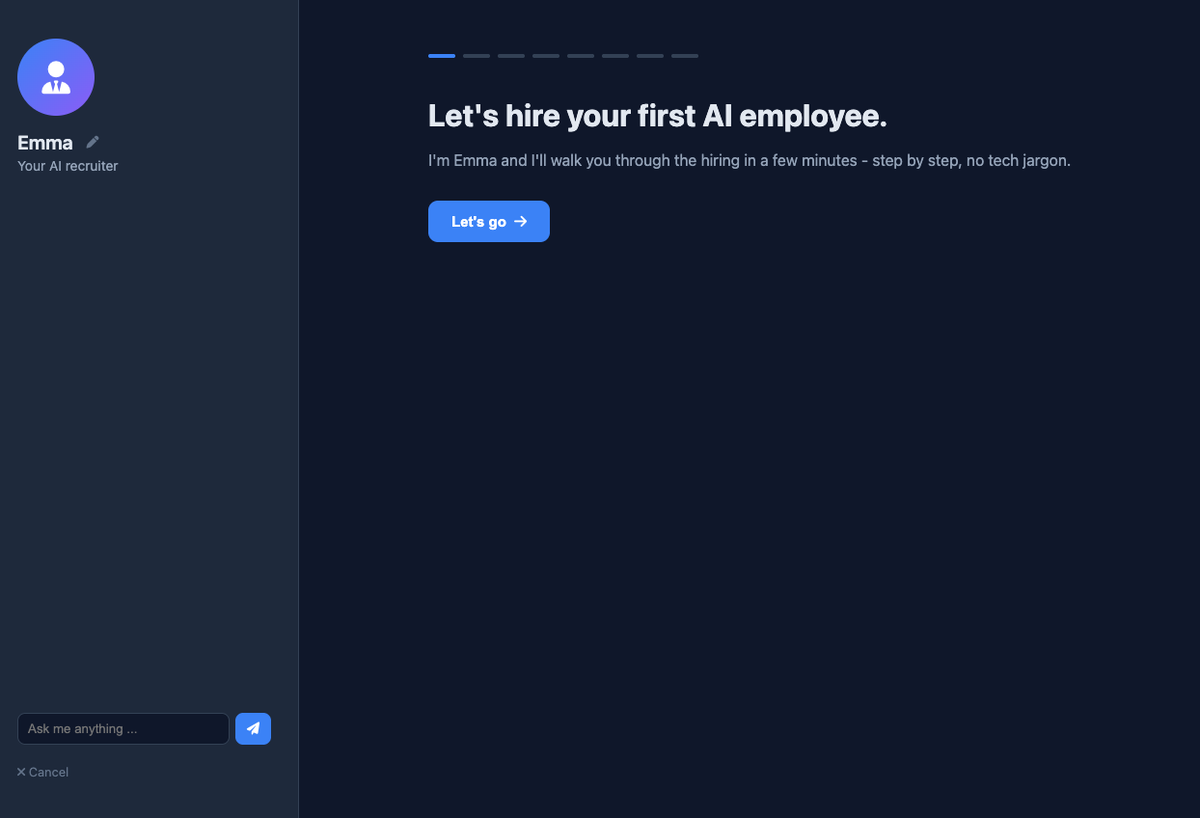
Emma, your AI recruiter, guides you full-screen from role selection to hiring — with an optional skills assessment where your new coworker has to prove itself on realistic tasks first.
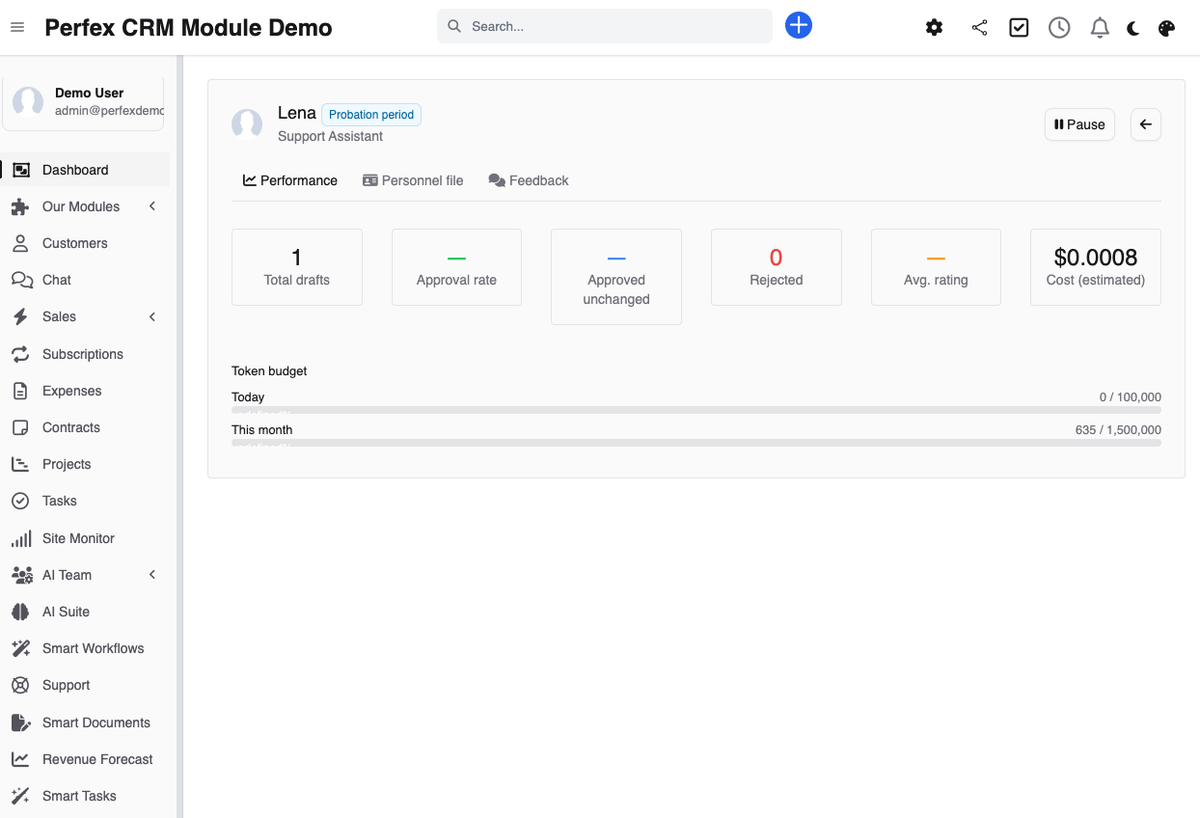
New AI employees have to deliver: you see how many drafts you approve, edit or reject. At the end you decide whether they stay — just like any real hire.
Every agent has a versioned personnel file. When you correct a draft, it becomes a concrete improvement proposal for the profile — the agent learns over time how you want things done.
Names, email addresses, phone numbers and IBANs are pseudonymized automatically before every AI call and re-inserted only in the approved draft. GDPR is architecture here, not an afterthought.
Run everything on your own hardware: with local models like Qwen 2.5 32B, no data leaves your server and no cloud consent is needed. You do not give up quality either — in our tests the local model played on par with the cloud models. Cloud providers are supported too.
Use OpenAI, Anthropic Claude, Google Gemini or any OpenAI-compatible endpoint like OpenRouter, plus local models via Ollama. If AI Suite is installed, copy its configuration with one click.
Cloud AI processing requires a one-time, logged consent (who, when, which provider). Every agent action runs through the queue and is fully traceable.
A hard-coded policy layer decides what agents may access — no exceptions, no AI discretion. Escalating its own permissions is impossible, and the module is hardened against prompt injection.
Static analysis (PHPStan level 4), a unit-tested policy core, SSRF hardening with IP pinning, and encrypted API keys. The full internal audit report ships with the module — your IT team is welcome to read it.
The module UI is available in English, German, French, Spanish, Italian and Arabic. Your agents reply in your CRM system language.
Screenshots from the actual module running inside Perfex CRM.
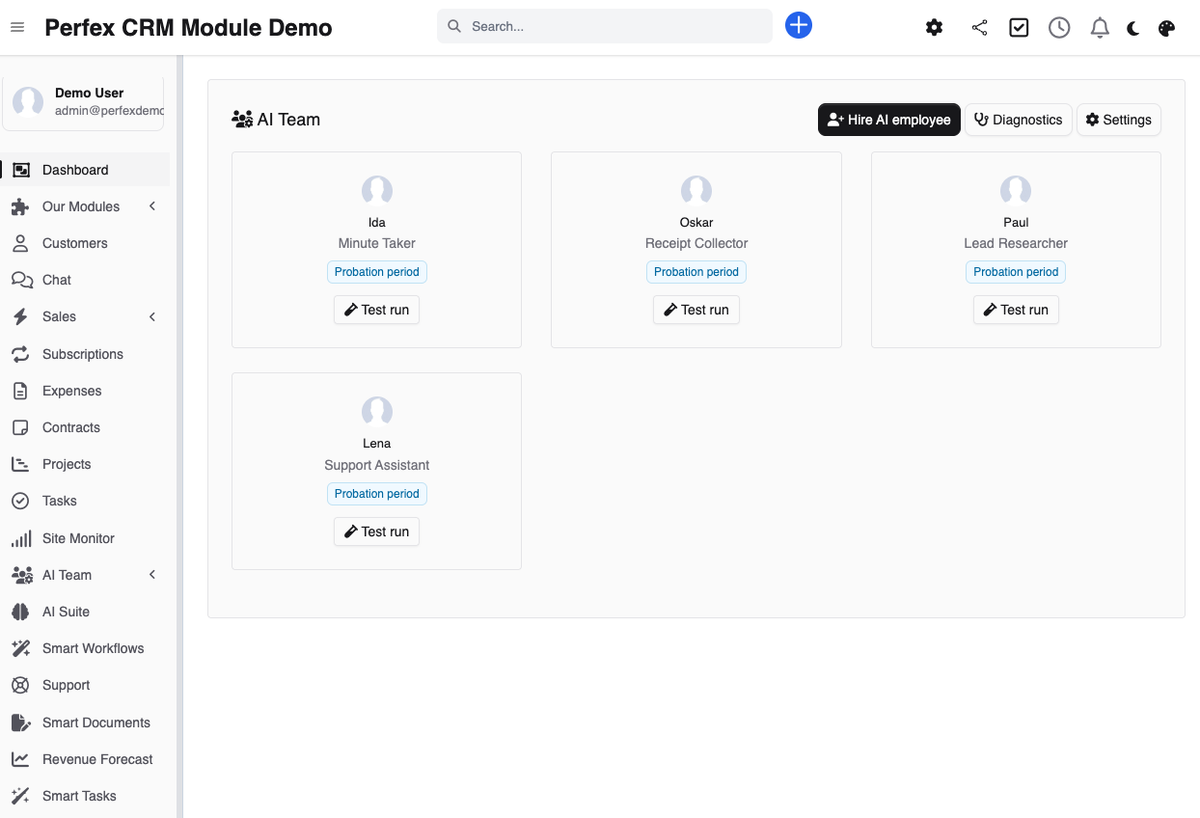
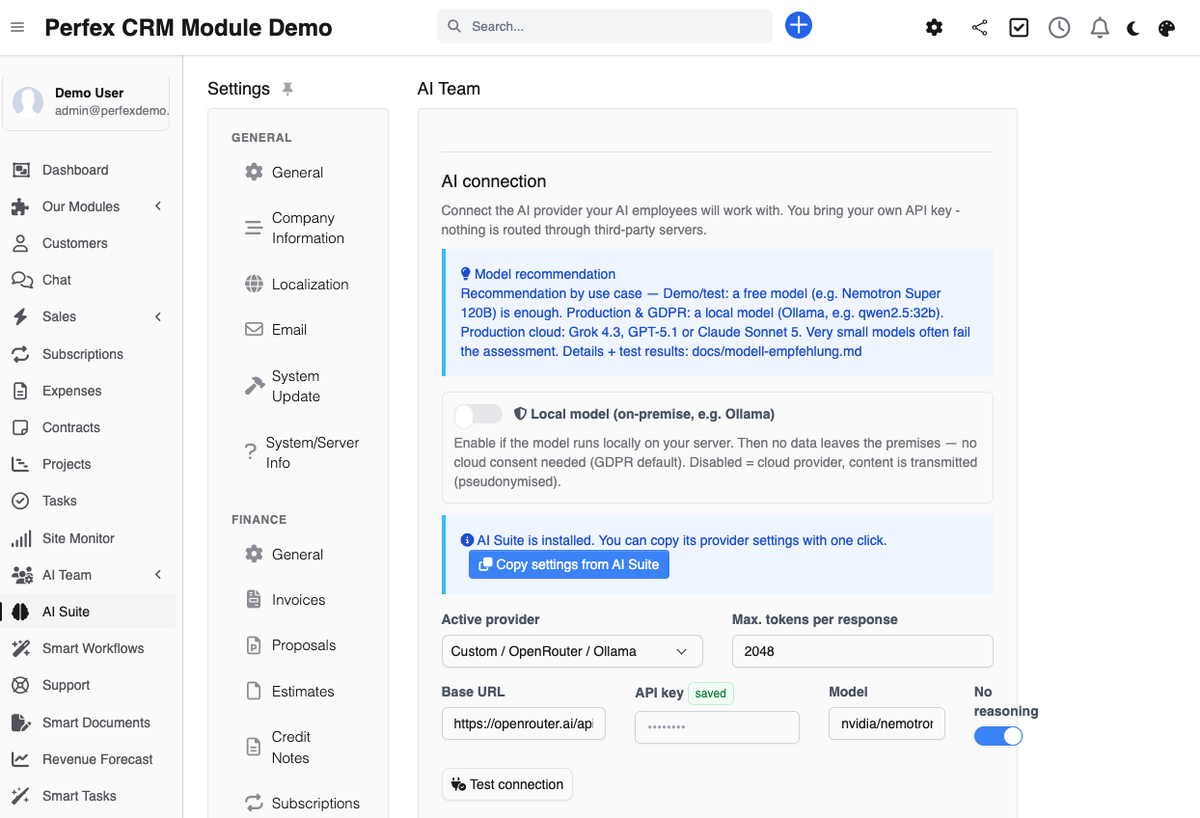
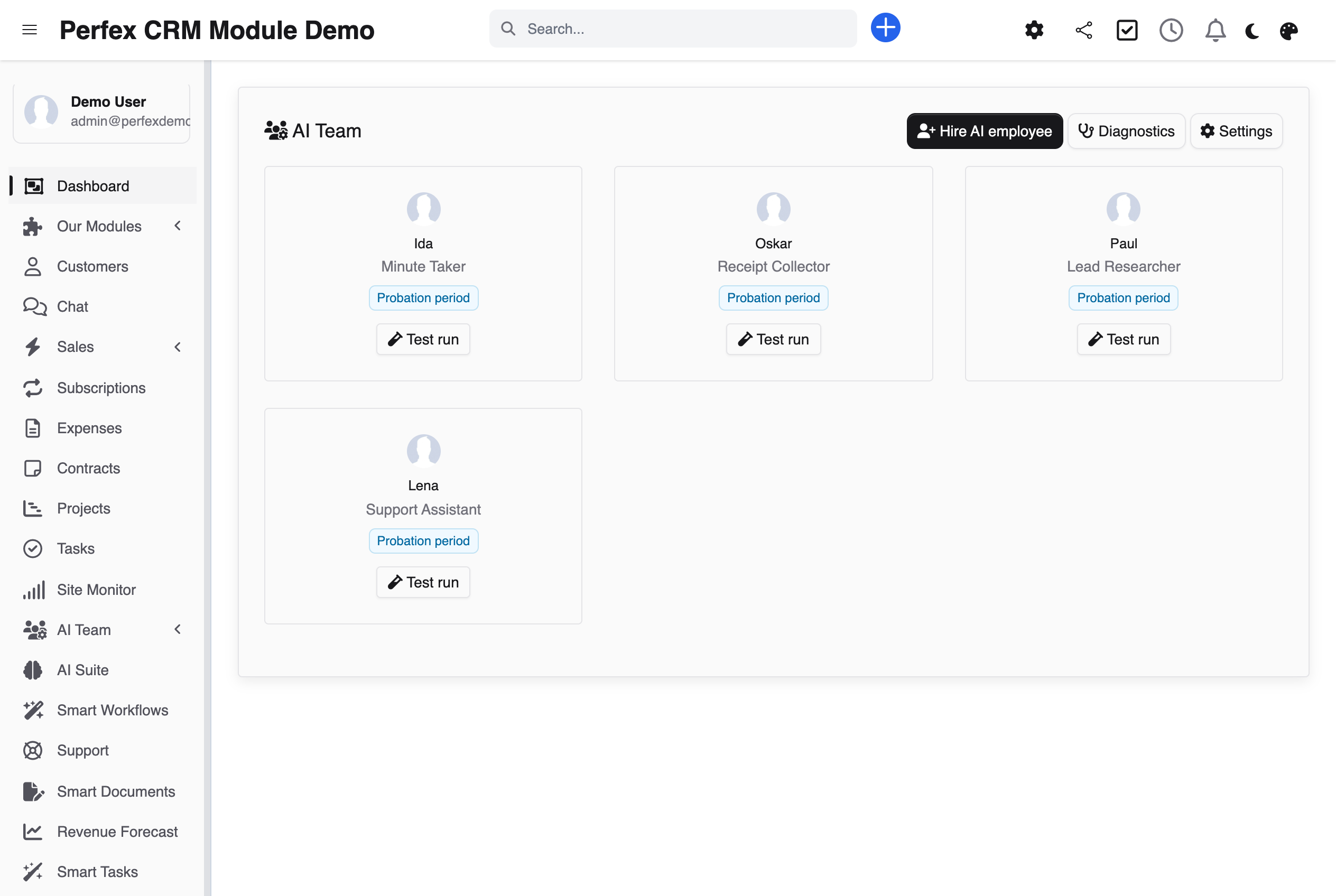
Imagine walking into the office in the morning and most of the work is already done — you just look it over and give your OK. That is exactly what AI Team is for: hire AI employees right inside your Perfex CRM. Lena has already drafted a reply to every open ticket, Paul researches leads and prepares qualification notes, Oskar fishes receipts out of the mailbox, and Ida turns raw notes into finished minutes with to-dos. Your employees prepare everything for you — the decision is made where it belongs: by you. No coworker has a send button, none of them can ever send or change anything on their own; they never get to see real names, email addresses or IBANs anyway, and on request everything runs completely locally on your server. One module, four new coworkers: €69 one-time — no subscription, 6 months of support, lifetime updates. Meet Lena before you hire: invite her to a job interview — she is already doing her trial day in the live demo.
Common questions about AI Team.
No — and not because of a setting, but by design. With AI Team, everything starts as a draft: the AI prepares replies, research notes and summaries, but simply has no way to send, publish or change anything. A human reviews and approves every output. The module architecture itself enforces this.
The Support Assistant (Lena in our demo) drafts replies to support tickets. The Lead Researcher (Paul) enriches leads with publicly available company information and prepares qualification notes. The Receipt Collector (Oskar) scans a dedicated mailbox for receipts and prepares expense records. The Meeting Minutes agent (Ida) turns raw notes into structured minutes with action items.
AI Team is built for GDPR-compliant operation: personal data is pseudonymized automatically before every AI call, so the AI never sees real names, emails or IBANs. Cloud processing requires a logged consent. And with local models via Ollama you work fully on-premise — then no data leaves your server at all.
Yes: OpenAI (GPT/ChatGPT models), Anthropic Claude, Google Gemini, any OpenAI-compatible endpoint (including OpenRouter with 200+ models), and local models via Ollama. You pay for AI usage directly with your provider at their rates — or you run locally via Ollama, with no API costs at all. If you already use our AI Suite module, its provider configuration can be copied over directly.
The agent can be tested on realistic sample tasks for its role before being hired. An AI jury scores the results. So you see how well your new coworker performs before it touches real data. You can also skip the test and hire directly.
New agents start with a 30-day probation. The module records your decision on every draft and shows you a performance summary. At the end you decide whether the agent stays — and you can end the probation early at any time.
Yes, through your approvals: when you correct or comment on a draft, AI Team analyzes the feedback and proposes concrete changes to the personnel file — a new rule, say, or a changed tone preference. You approve every change, and because the file is versioned you can roll back at any time.
Yes, it needs its own IMAP mailbox (for example receipts@yourcompany.com) and the PHP IMAP extension. It scans incoming mail for receipts and prepares expense records as drafts. The other three roles work without any additional infrastructure.
No. AI Team is a standalone module with its own provider configuration. If AI Suite is installed you can conveniently copy its provider settings, but there is no dependency.
Perfex CRM 3.x and PHP 8.1 or higher (tested up to PHP 8.5). Plus a working cron job, because all agent tasks run through the queue in the background.
The agent checks itself. For support replies and lead notes it produces a draft, scores it against its personnel file — quality score, rule and no-go violations, concrete critique — and revises in a targeted way until the quality threshold is reached or the round budget is used up. The best rule-compliant draft wins. In the approval inbox, every draft carries a badge showing the round count and quality (for example "Loop 2× · quality 85"). You switch the loop on or off under AI Team → Settings and set the number of revision rounds (default 2) and the quality threshold (default 70). Even during the internal review steps the AI never sees real names — pseudonymization covers the entire loop.
Bring OpenAI, Claude, Gemini, or any of 200+ OpenRouter models into your self-hosted Perfex CRM, using your own API keys — no subscription.
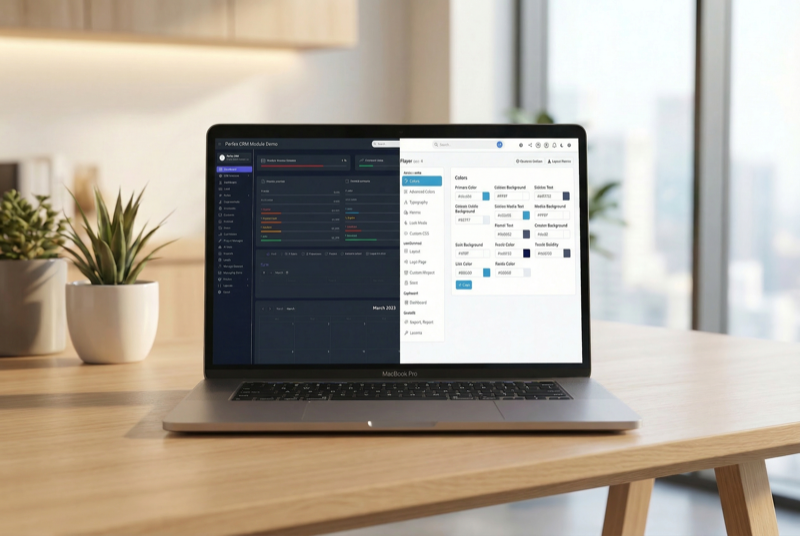
Make Perfex CRM feel like your own — themes, dark mode, a custom dashboard and Cmd+K speed

Assign contacts to multiple companies with roles