
AI Suite
Bring OpenAI, Claude, Gemini, or any of 200+ OpenRouter models into your self-hosted Perfex CRM, using your own API keys — no subscription.
Your Perfex CRM in your customers' language — €39 one-time, and you never touch a language file by hand again.
Includes 6 months of support & lifetime updates · Extend Support — €19/year
The teaser in under a minute.
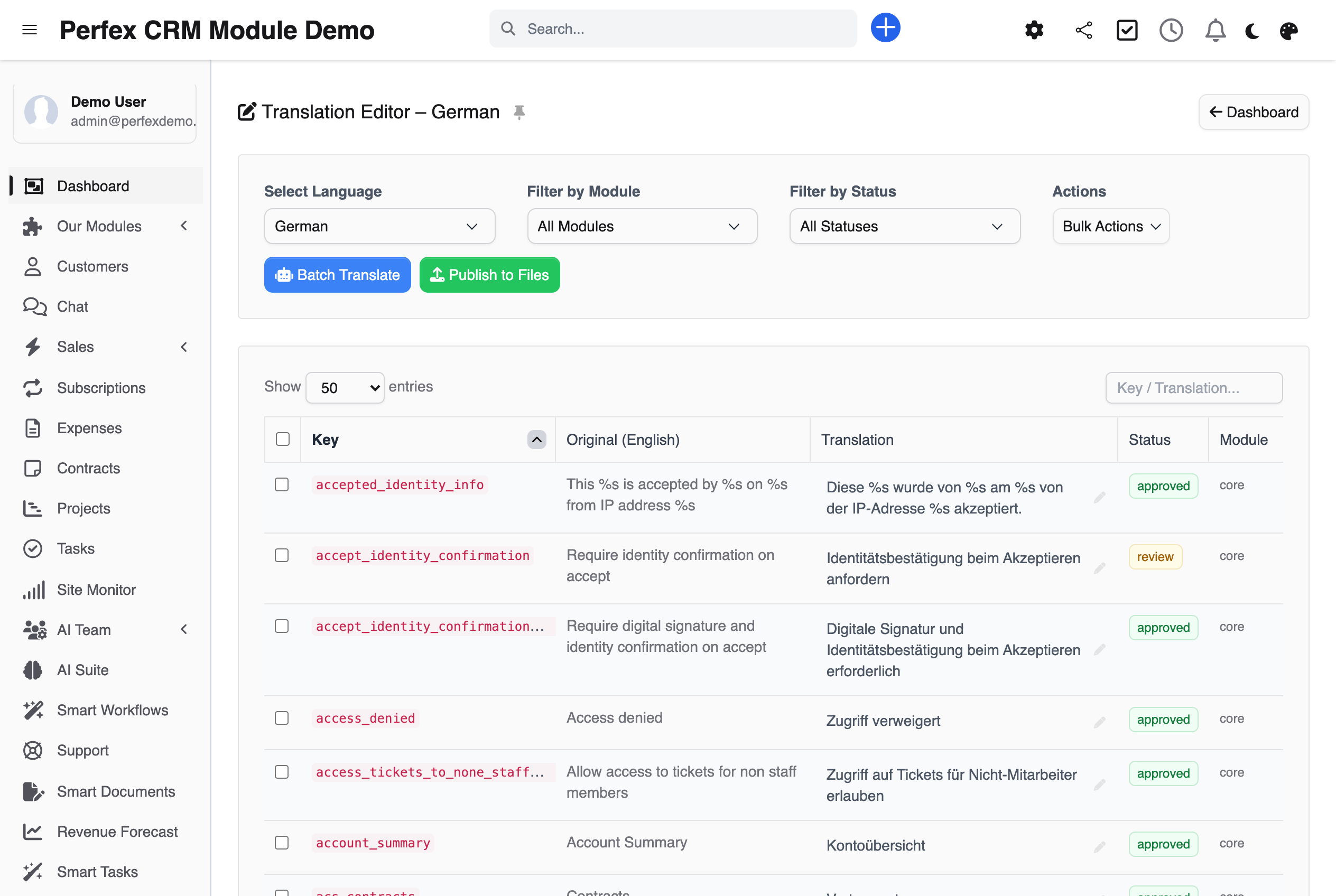
Translate your Perfex CRM like a spreadsheet: click a text, type, done — without opening a single PHP file. Filters by module, status or full text get you to the right string in seconds.
What normally costs you evenings runs in a single pass — with DeepL, Google Translate or any AI model via AI Suite. You define the scope.
Your translations are published as custom_lang.php files, the official Perfex override mechanism. No core update and no module update can touch them.
One click and the module knows every text in your CRM, from the Perfex core to the last custom file. After every update, the scan shows you immediately what is new.
Your product names and technical terms stay your terms. The glossary is enforced on every batch run — the machine sticks to your wording everywhere.
Every change is recorded with author and timestamp. If an earlier wording was better, you bring it back with one click.
Four states from untranslated to approved: one person translates, you approve. Nothing goes live that you have not signed off.
Placeholders like %s and %d and embedded HTML are protected before machine translation and restored afterwards. Broken invoice texts do not happen with this module.
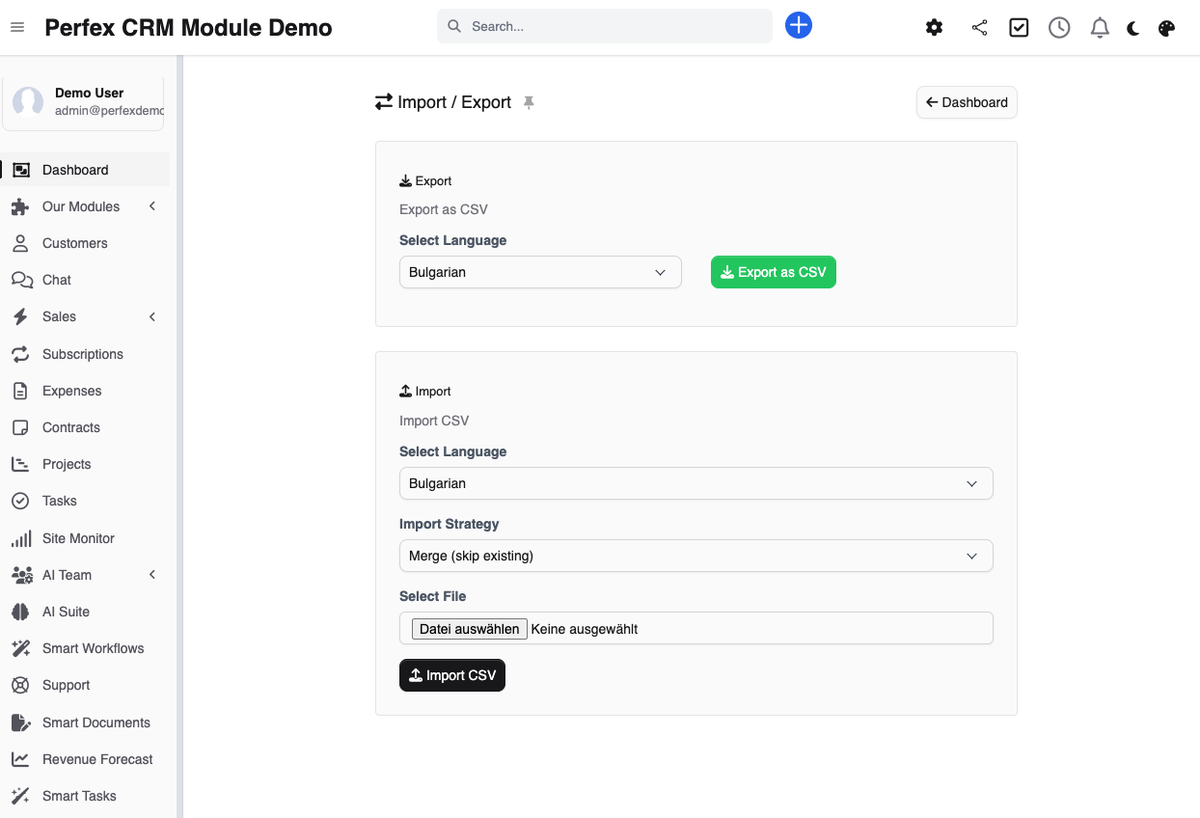
Working with a translator or an agency? Export as CSV, import the result back — merged, overwriting, or routed into the review queue first.
See at a glance how far along every language and every module is — and how many API characters you have used this month.
Lock a string once you have approved it, and no batch AI run will ever overwrite it. Lock in bulk, then batch-translate the rest with full confidence that your reviewed wording stays put.
Beyond DeepL, Google and AI Suite, Translation Manager also works with LibreTranslate — free, self-hostable and privacy-friendly, for teams that would rather not send text to a cloud translator.
Screenshots from the actual module running inside Perfex CRM.
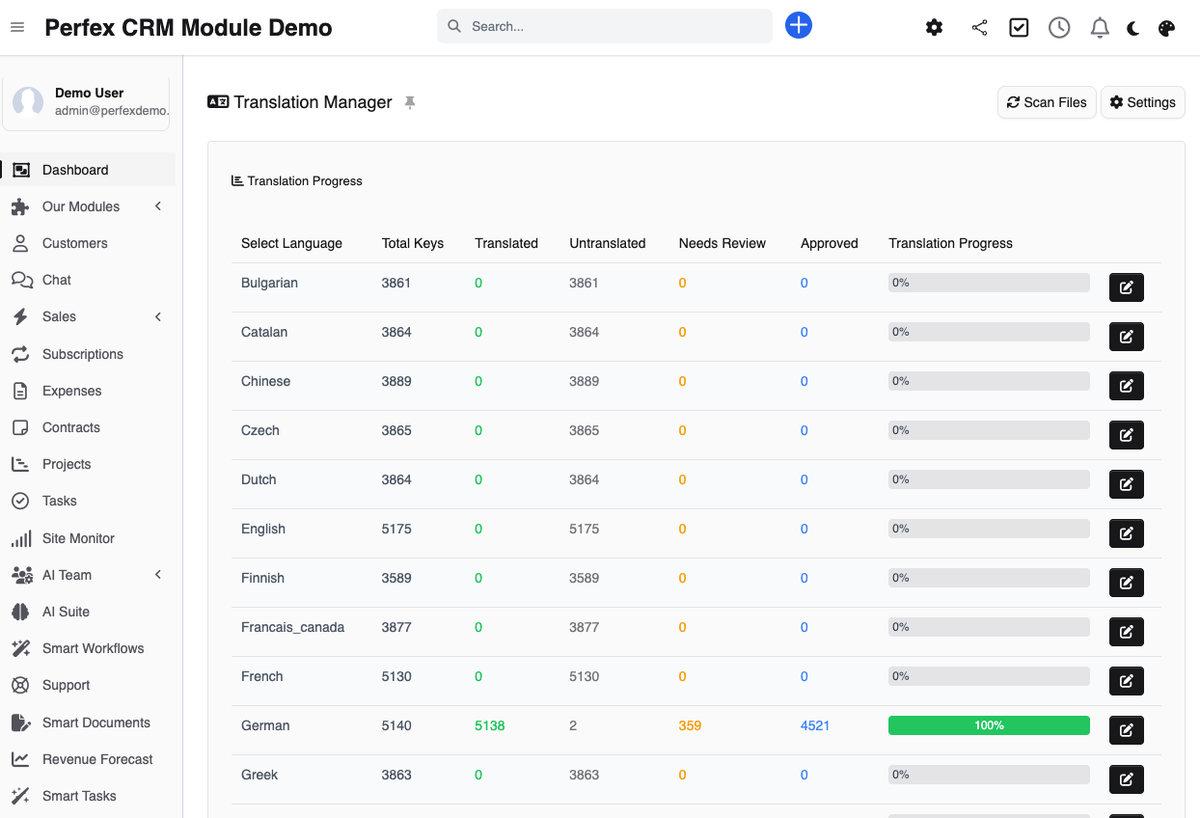
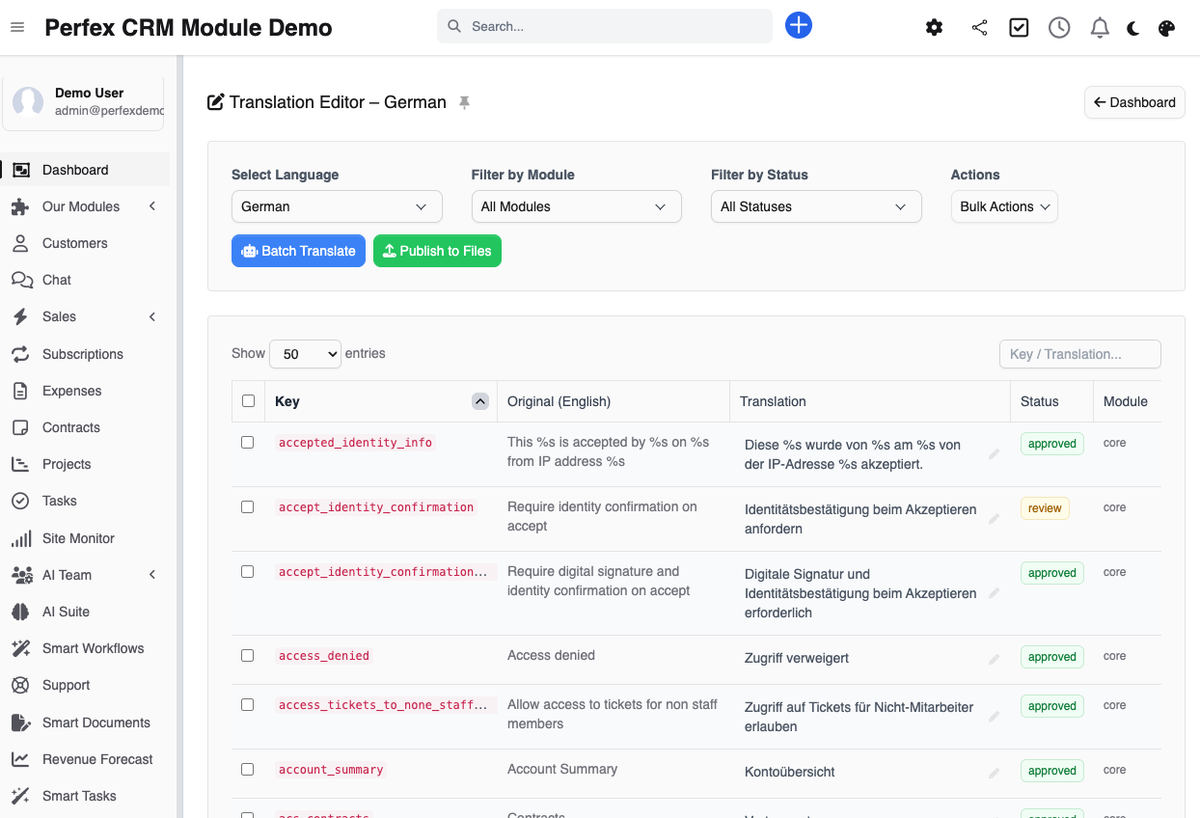

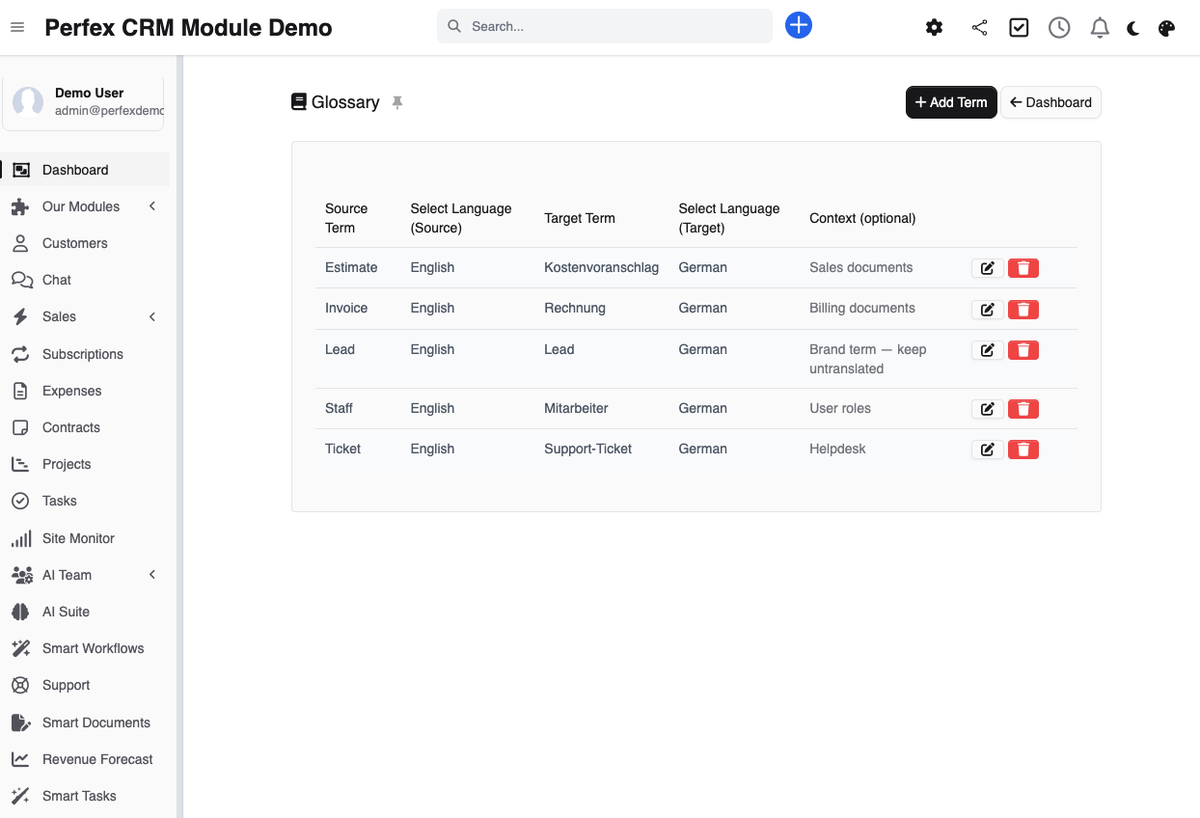
Your customer logs into the portal — and everything is there in their language: proposals, invoices, every button. That looks professional, builds trust, and sells before you have said a word. Until now, translating Perfex CRM meant editing language files by hand and starting over after every update. Translation Manager makes your Perfex CRM multilingual: it reads in the core, your modules and existing custom files, lays every text out in a visual editor, and on request translates hundreds of strings in one run via DeepL, Google Translate or AI — with your glossary enforced and placeholders and HTML kept intact. Everything is published as update-safe custom language files, so no Perfex or module update ever touches your translations. You decide how your CRM speaks to your customers; the module does the legwork for €39 one-time — no subscription, 6 months of support, lifetime updates. Click through the live demo: it runs Perfex CRM in German, 100% translated.
Common questions about Translation Manager.
Yes. Translation Manager publishes your work as custom language files — the official Perfex override mechanism. Updates replace the original files; your custom files stay untouched. After an update, a scan shows you the newly added strings.
DeepL (free and pro API), Google Cloud Translation, LibreTranslate (free and self-hostable), and — if our AI Suite module is installed — any AI model configured there, including OpenAI, Claude, Gemini and OpenRouter models. Manual translation works entirely without a provider.
Yes. The scanner picks up the language files of every installed module, not just the Perfex core. In the editor you filter by module and translate exactly the parts your customers get to see.
The module brackets out %s, %d and embedded HTML before the text goes to the provider, and puts everything back afterwards. Keys containing placeholders are also flagged in the editor so you can double-check them specifically.
With the glossary: it defines fixed source-to-target translations for your terms — product names, legal vocabulary, industry language. During batch translation these translations are binding, so every occurrence sounds the same.
Yes. Export the strings you need as CSV, send them to your translator, and import the finished file back. You decide whether imported rows overwrite existing translations, get merged, or land in the review queue first.
The scanner compares originals on every run. If an English source text has changed, your translation is flagged as needing review. No outdated text slips past you.
You only need an API key for machine translation — and even then it is often free: DeepL's free tier includes 500,000 characters per month, enough for a complete translation of the Perfex core. The editor, glossary, review workflow, versioning, publishing and CSV import/export all work without any external service. The module itself costs €39 one-time, no subscription.
Translation Manager supports Perfex CRM 3.x and requires PHP 8.1 or higher. It works with any language installed in your Perfex, including right-to-left languages.
Not if you lock them. Lock a translation — individually or in bulk — and every future batch run skips it, so your reviewed, approved wording stays exactly as it is while the AI fills in only what is still open. It is the safety net that makes batch translation team-safe.
Bring OpenAI, Claude, Gemini, or any of 200+ OpenRouter models into your self-hosted Perfex CRM, using your own API keys — no subscription.
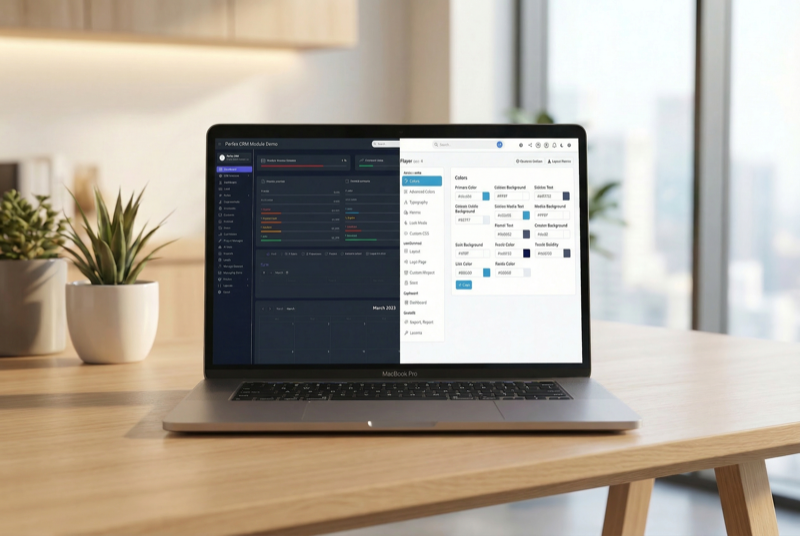
Make Perfex CRM feel like your own — themes, dark mode, a custom dashboard and Cmd+K speed

Assign contacts to multiple companies with roles