AI Suite
Bring OpenAI, Claude, Gemini, or any of 200+ OpenRouter models into your self-hosted Perfex CRM, using your own API keys — no subscription.
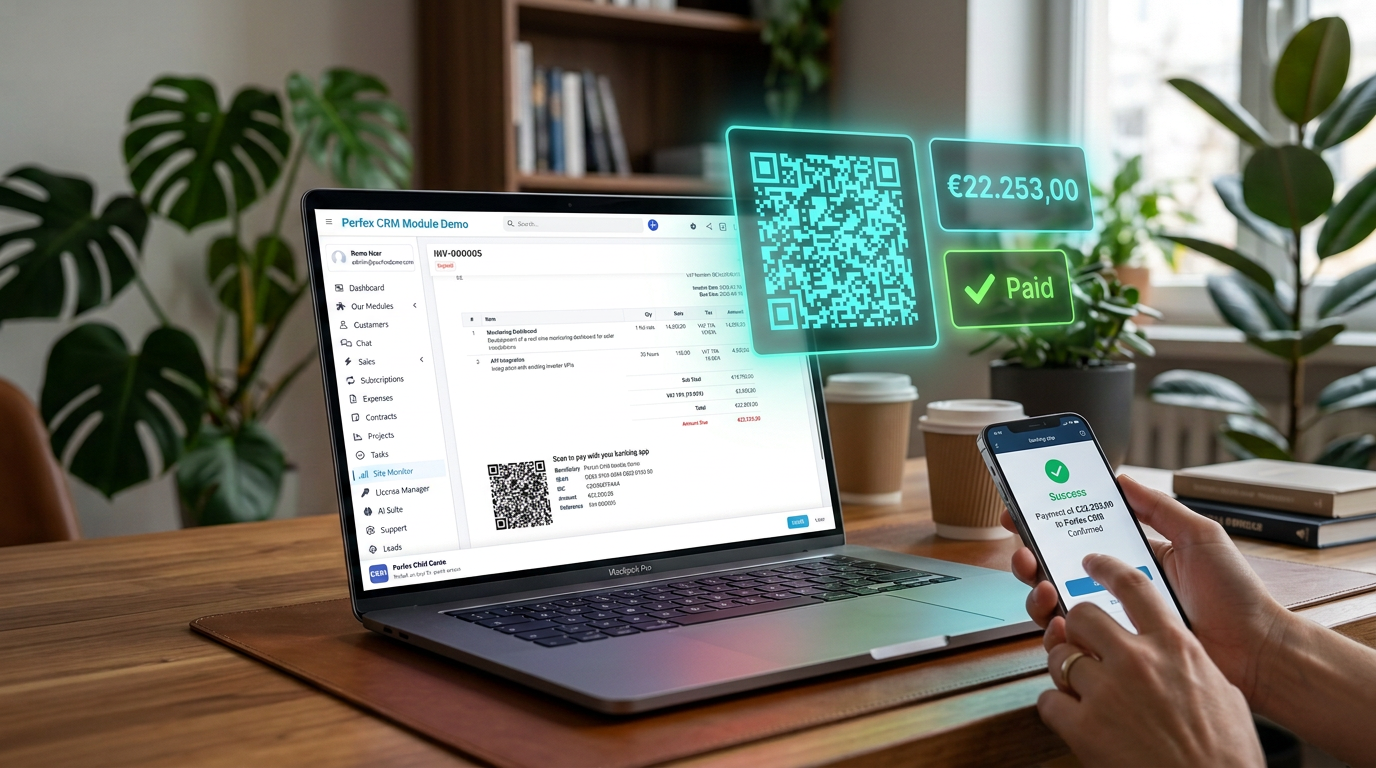
No more IBANs typed off a PDF. A payment QR code on your unpaid Perfex CRM invoices, so the banking app fills in the amount and invoice number.
Included in the Core Bundle at no extra cost.
Prices excl. VAT
Includes 6 months of support & lifetime updates · Extend Support — €19/year
Built for invoices that get paid by bank transfer or UPI. If your customers almost always pay by card, the online invoice link Perfex already sends covers you, and you probably do not need this module.
The QR code carries the amount still open, so after a partial payment your customer pays the rest and not the full total again. The invoice number goes in as the payment reference, as plain text or as a structured creditor reference (RF).
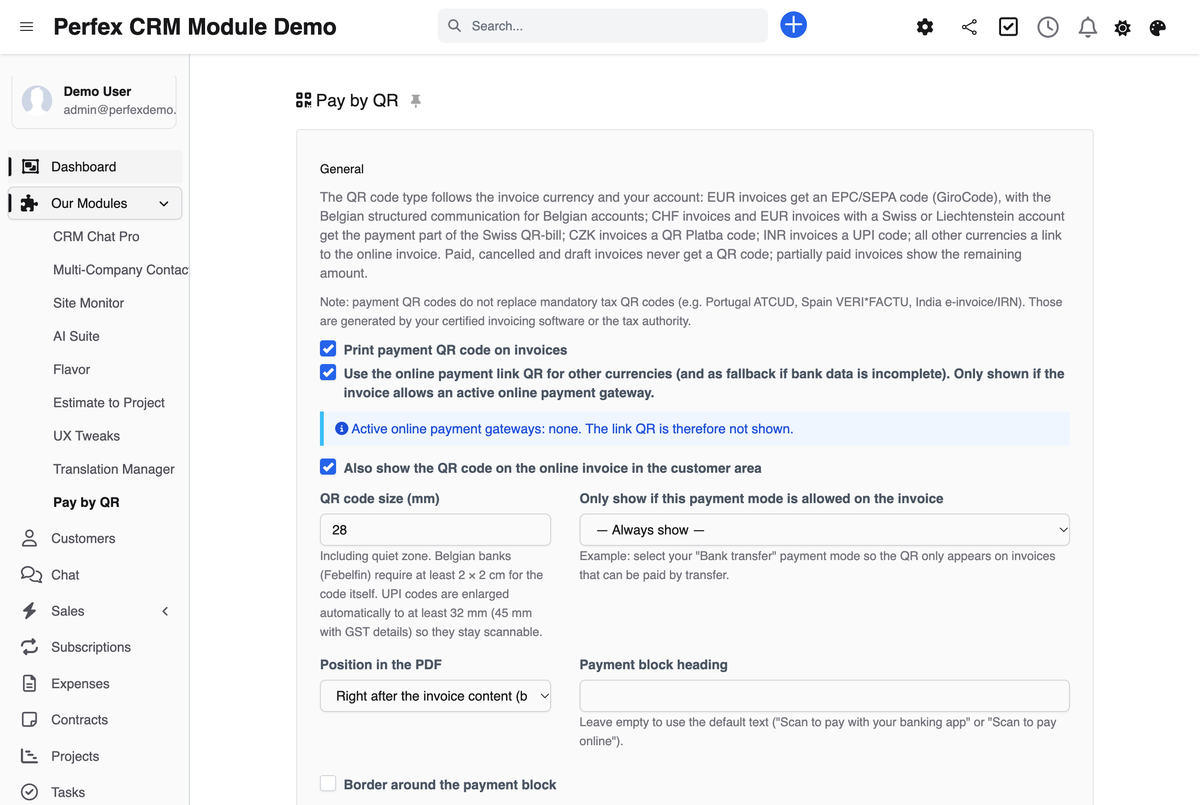
Pay by QR looks at the invoice currency and your account and picks the matching standard: SEPA for EUR, Swiss QR-bill for CHF, QR Platba for CZK, UPI for INR, and a payment link for other currencies. You set it up once, and every invoice gets the right code from then on.
EUR invoices get the EPC QR code, the SEPA standard many people know as GiroCode. With a Belgian IBAN the module switches to the Belgian structured communication (+++123/4567/89012+++) by itself, as the Belgian banking federation Febelfin requires.
CHF invoices, and EUR invoices paid to a Swiss or Liechtenstein account, get the Swiss payment part with receipt (210 × 105 mm) at the bottom of the last page. It is built to version 2.4 of the Swiss implementation guidelines (SIX) and was checked with independent validators. With a QR-IBAN, the QR reference is created for you.
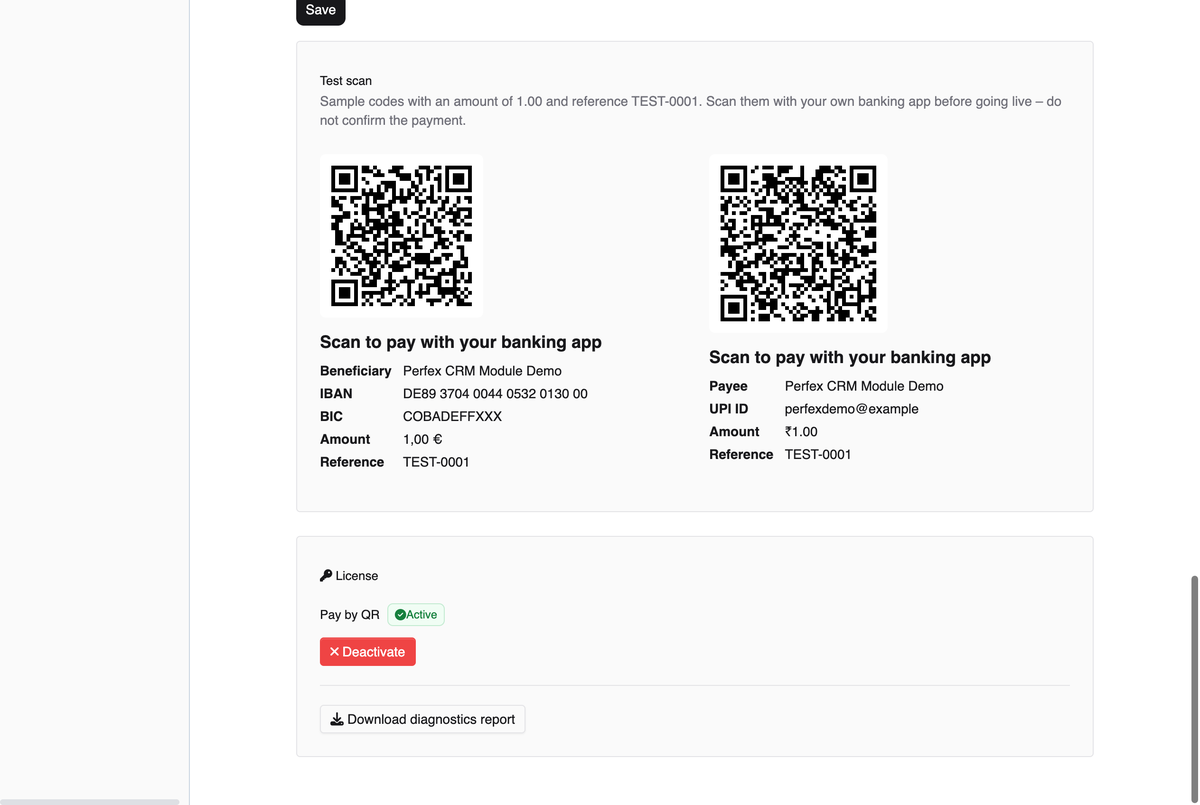
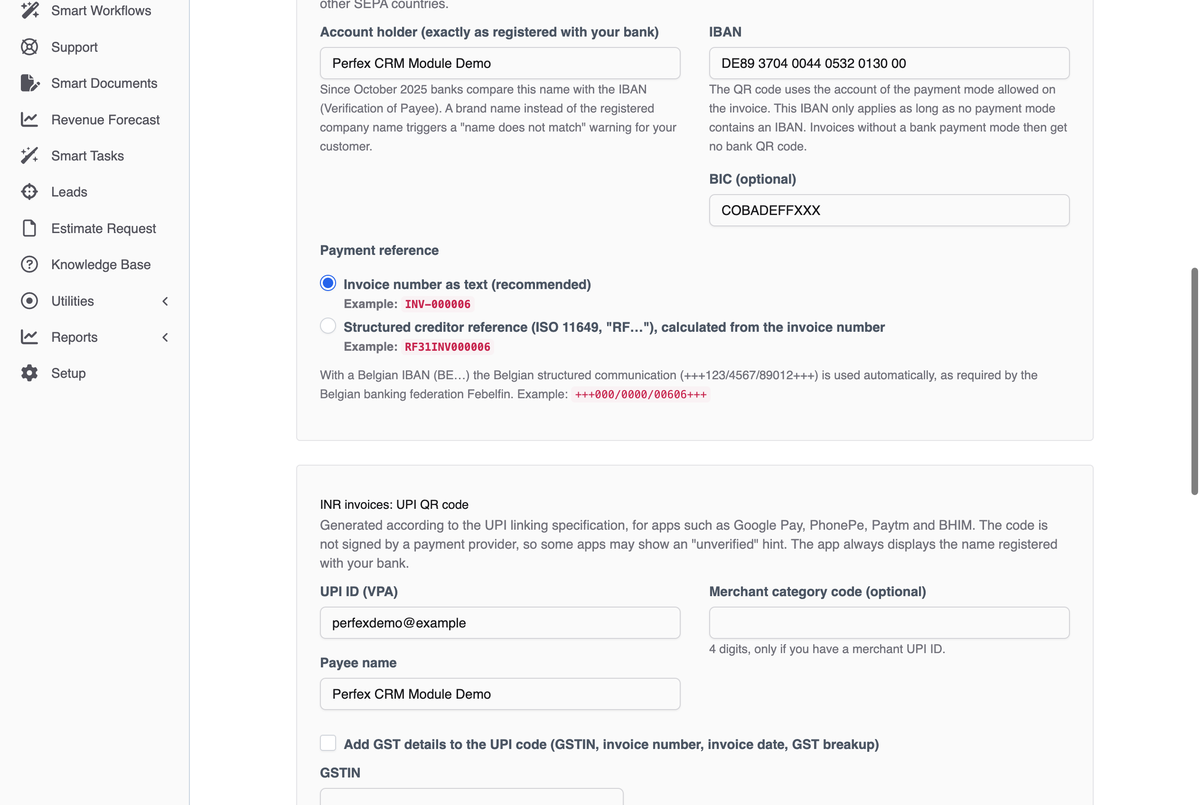
INR invoices get a UPI code, generated according to the UPI linking specification, for apps such as Google Pay, PhonePe, Paytm and BHIM. Your UPI ID, the amount and the invoice number are filled in, GST details if you want them, and your customer's app shows the payee name registered with your bank. The code is not signed by a payment provider, so some apps may show an "unverified" warning. I have not tested it with a UPI app in India yet, which is why the settings page gives you a ₹1.00 test code to scan with your own UPI app. Do not confirm the payment.
Czech invoices get QR Platba, the payment code of the Czech Banking Association. The invoice number goes in as the variable symbol, the number Czech transfers use to identify an invoice.
For USD, GBP or any other currency without a bank QR standard, the code opens the online invoice with your payment options. It only appears if the invoice allows an active online payment gateway. Make sure that gateway lists the invoice currency, because Perfex only offers a gateway on invoices in its listed currencies.
Pay by QR reads IBAN and BIC from the description of your Perfex payment modes and checks the IBAN check digits. Have more than one bank account? Each EUR or CZK invoice uses the account of the payment mode allowed on it.
Only invoices that are meant to be paid get a code. An old draft PDF or a cancelled invoice in someone's inbox cannot be scanned and paid by mistake.
The payment block is added through standard Perfex hooks: after the invoice content, before the client note, or at the bottom of the last page. You choose size (25–45 mm), heading and border, and the code can also appear on the online invoice in the customer area.
The settings page creates sample codes for 1.00 with the reference TEST-0001 for each bank and UPI format you have set up, to scan with your own banking or UPI app. A status box lists your active online gateways and the bank accounts found in your payment modes.
Screenshots from the actual module running inside Perfex CRM.
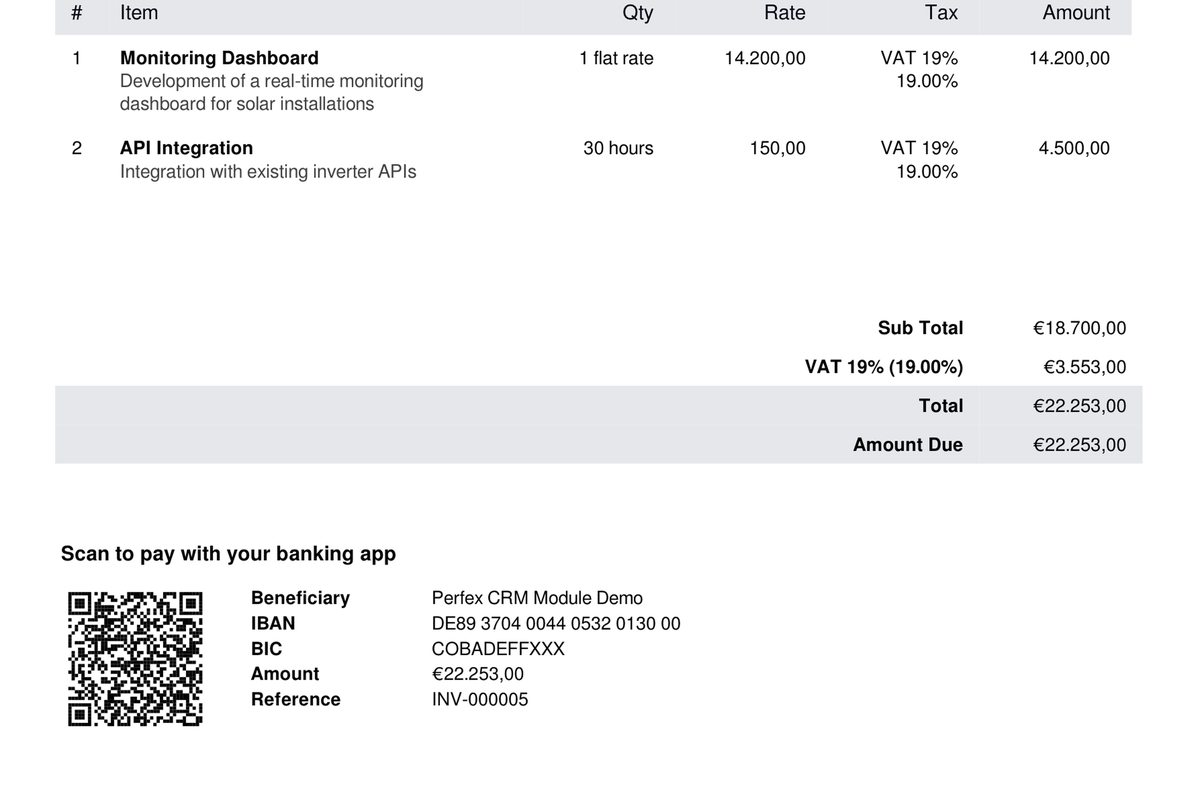
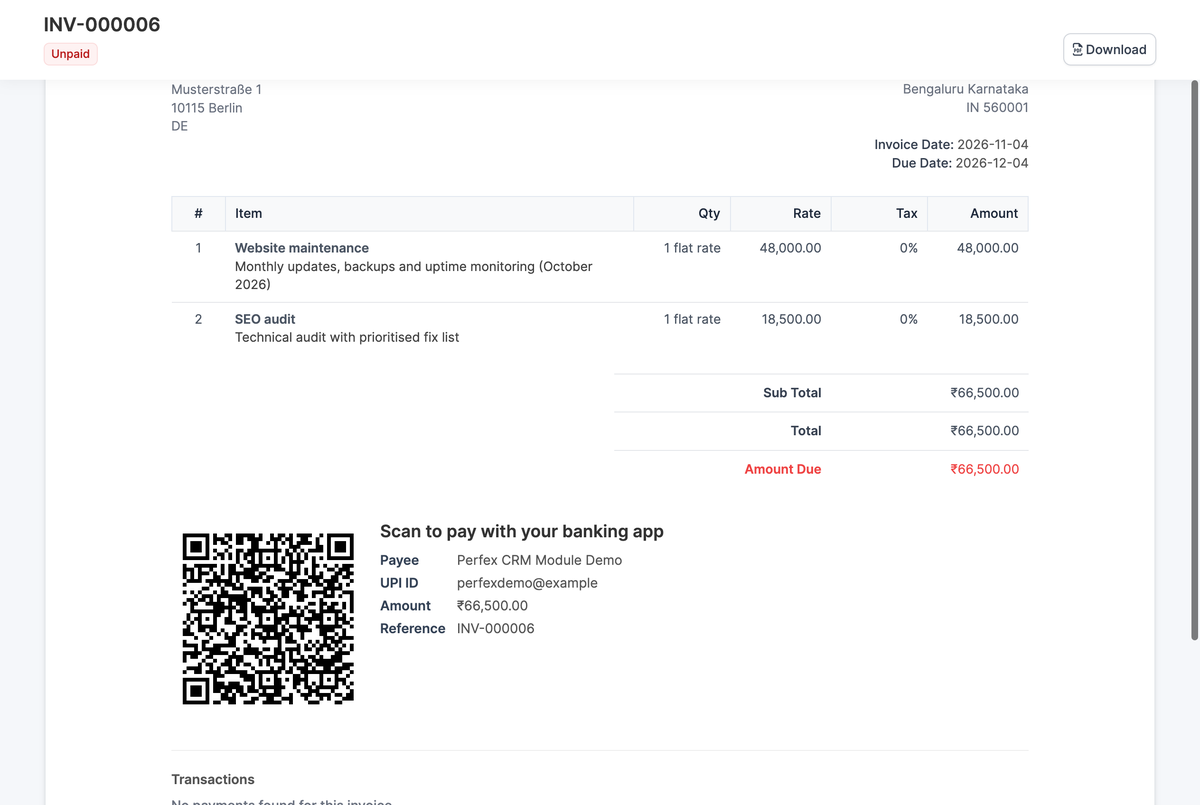
Your customer types your IBAN and the invoice number off a PDF, gets one digit wrong, and you are left matching the payment by hand. Pay by QR puts a payment QR code on your Perfex CRM invoices instead: one scan with a banking app, and the transfer is filled in with your account, the remaining amount and the invoice number as the reference. The code follows the invoice currency, from the SEPA code for euros and the Swiss QR-bill to UPI for rupees, and your invoice template stays as it is. I run Pay by QR in my own Perfex CRM, on my own invoices. I scanned one of them with a German banking app (comdirect), and the amount and reference came through correctly. Introductory price €29 one-time (plus VAT) until 31 December 2026, then €39, with no subscription, six months of support and lifetime updates. Scan a demo invoice in euros before you decide.
Common questions about Pay by QR.
Pay by QR picks the QR code from the invoice currency and your account. EUR invoices get an EPC/SEPA code (GiroCode), with the Belgian structured communication for Belgian accounts. CHF invoices, and EUR invoices paid to a Swiss or Liechtenstein account, get the Swiss QR-bill payment part. CZK invoices get a QR Platba code, INR invoices a UPI code. Any other currency gets a QR code that opens the online invoice, if the invoice allows an active online payment gateway.
Pay by QR leaves the code out whenever the invoice cannot be paid with it. It is usually one of these: the main switch "Print payment QR code on invoices" is still off, which it is right after installation. Or the invoice is paid, cancelled or a draft, or nothing is left to pay. Or you limited the code to one payment mode under "Only show if this payment mode is allowed on the invoice", and this invoice does not allow it. Or your IBANs are kept in Perfex payment modes, but none of the modes you allow on this EUR or CZK invoice holds one, so it gets no SEPA or QR Platba code. Or the bank details for the currency are missing or invalid; when you save, the settings page lists what to fix. Or the currency has no bank QR standard, and the invoice allows no active online payment gateway for a link QR. The status box in the settings shows which gateways are active.
Yes, Pay by QR always uses the remaining amount, not the original total. If your customer has paid 300 of 1,000, the next scan asks for 700, with the invoice number as the reference.
Not for bank transfers: Pay by QR does not read your bank account, so you record a transfer or UPI payment in Perfex as usual, with the "Payment" button on the invoice. But the payment arrives with the right amount and the invoice number as the reference, so it is easy to match. If your customer pays through the link QR with an online gateway such as PayPal Smart Checkout, Perfex records that payment itself and updates the invoice status.
Yes, Pay by QR adds a UPI QR code to every unpaid INR invoice, generated according to the UPI linking specification for apps such as Google Pay, PhonePe, Paytm and BHIM. Your UPI ID, the remaining amount and the invoice number are filled in, and your customer's app shows the payee name registered with your bank. The code is not signed by a payment provider, because only an acquiring bank can sign it, so some apps may show an "unverified" warning. I have also not yet tested it with a UPI app in India; the minimum size of 32 mm (45 mm with GST details) comes from simulated phone scans. You can check it yourself on day one: once your UPI ID and payee name are saved, the Test scan section shows a sample code for ₹1.00 with the reference TEST-0001. Scan it with your own UPI app and do not confirm the payment. If it does not work for you, you get your money back within 14 days, for any reason.
No, Pay by QR does not replace tax QR codes. It prints payment QR codes, which tell a banking or UPI app whom to pay and how much. Mandatory tax QR codes such as ATCUD in Portugal, VERI*FACTU in Spain, the e-invoice IRN in India or ZATCA in Saudi Arabia come from your certified invoicing software or the tax authority.
Pay by QR builds each code to the published standard of its country: EPC069-12 for SEPA, the SIX implementation guidelines v2.4 for the Swiss QR-bill, the Czech Banking Association standard for QR Platba and the UPI linking specification for India. I scanned one of my own invoices with a German banking app (comdirect), and amount and reference were correct. The Swiss and Czech codes were checked with independent validators, the EPC data with independent tools. Not every app has been tried, so the settings page has a test scan for your own app, and the live demo has EUR invoices you can scan.
Pay by QR shows the link QR when the invoice allows an active online payment gateway. For PayPal Smart Checkout, go to Setup > Settings > Finance > Payment Gateways and open the "Paypal Smart Checkout" tab. Set "Active" to Yes and enter the Client ID and Secret of your PayPal app. Set "Enable Test Mode" to No, otherwise payments go to the PayPal sandbox. Add your invoice currency to "Currencies (coma separated)", which lists USD,CAD,EUR by default; Perfex only offers the gateway on invoices in those currencies. "Selected by default on invoice" only applies to new invoices, so add PayPal to existing ones under "Allowed payment modes for this invoice". The link QR option in Pay by QR is on by default. The same steps work with other Perfex gateways such as Stripe Checkout.
Pay by QR puts the account holder name you enter into the EPC code, and since October 2025 banks in the euro area compare that name with the IBAN (Verification of Payee). Enter it exactly as your bank has it, usually the legal company name. A brand name triggers the warning even when the IBAN is right.
No, Pay by QR does not touch your invoice template or any Perfex core file. It adds the payment block through standard Perfex hooks: after the invoice content, before the client note or at the bottom of the last page. If building the QR code fails, the invoice PDF is still created, just without the block.
Yes, you can try Pay by QR in the live demo: under Sales > Invoices, open an unpaid EUR invoice and its PDF, then scan the code on your screen with your phone's banking app. The payee is a public sample IBAN, so your app only shows a pre-filled transfer; close it without sending. If you invoice in rupees, use the Test scan in the settings after installing instead. After buying, you have 14 days to get your money back, for any reason.
Yes, Pay by QR can add GST details to the UPI code: GSTIN, invoice number, invoice date and the CGST/SGST/IGST/cess breakup from the invoice taxes. With these details the code holds more data, so it is printed at 45 mm. Whether that meets the dynamic QR requirement for your business is a question for your tax adviser. The module does not create an e-invoice or IRN QR code.
No, a Pay by QR license covers one Perfex CRM installation and is bound to one domain. Each further installation, for example at another client, needs its own license.
Pay by QR is built for Perfex CRM 3.x and checked on Perfex CRM 3.4.0, which itself requires PHP 8.1 or higher.
Get Pay by QR and install it in minutes.
Invoicing in euros? In the live demo, open an unpaid invoice under Sales > Invoices, open its PDF and scan the code on your screen with your phone's banking app. The payee is a public sample IBAN, so your app only shows a pre-filled transfer that you simply close. Invoicing in rupees? Once your UPI ID and payee name are saved, the Test scan section creates a ₹1.00 sample code for your own UPI app. Either way, you have 14 days to get your money back, for any reason. My guarantee; refunds are processed by Paddle, which handles all payments on this site.
Prices excl. VAT
Bring OpenAI, Claude, Gemini, or any of 200+ OpenRouter models into your self-hosted Perfex CRM, using your own API keys — no subscription.
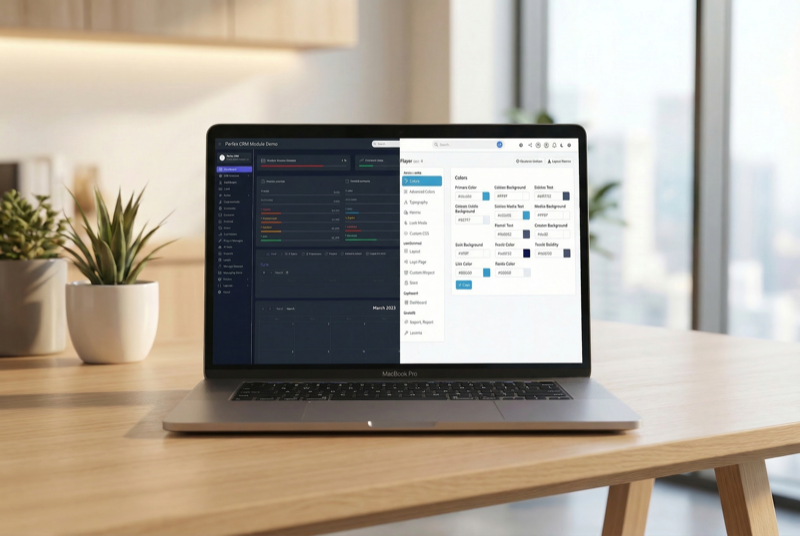
Make Perfex CRM feel like your own — themes, dark mode, a custom dashboard and Cmd+K speed

Assign contacts to multiple companies with roles