
AI Suite
Complete AI platform for Perfex CRM — Customer 360, ticket analysis, lead scoring, and real-time streaming
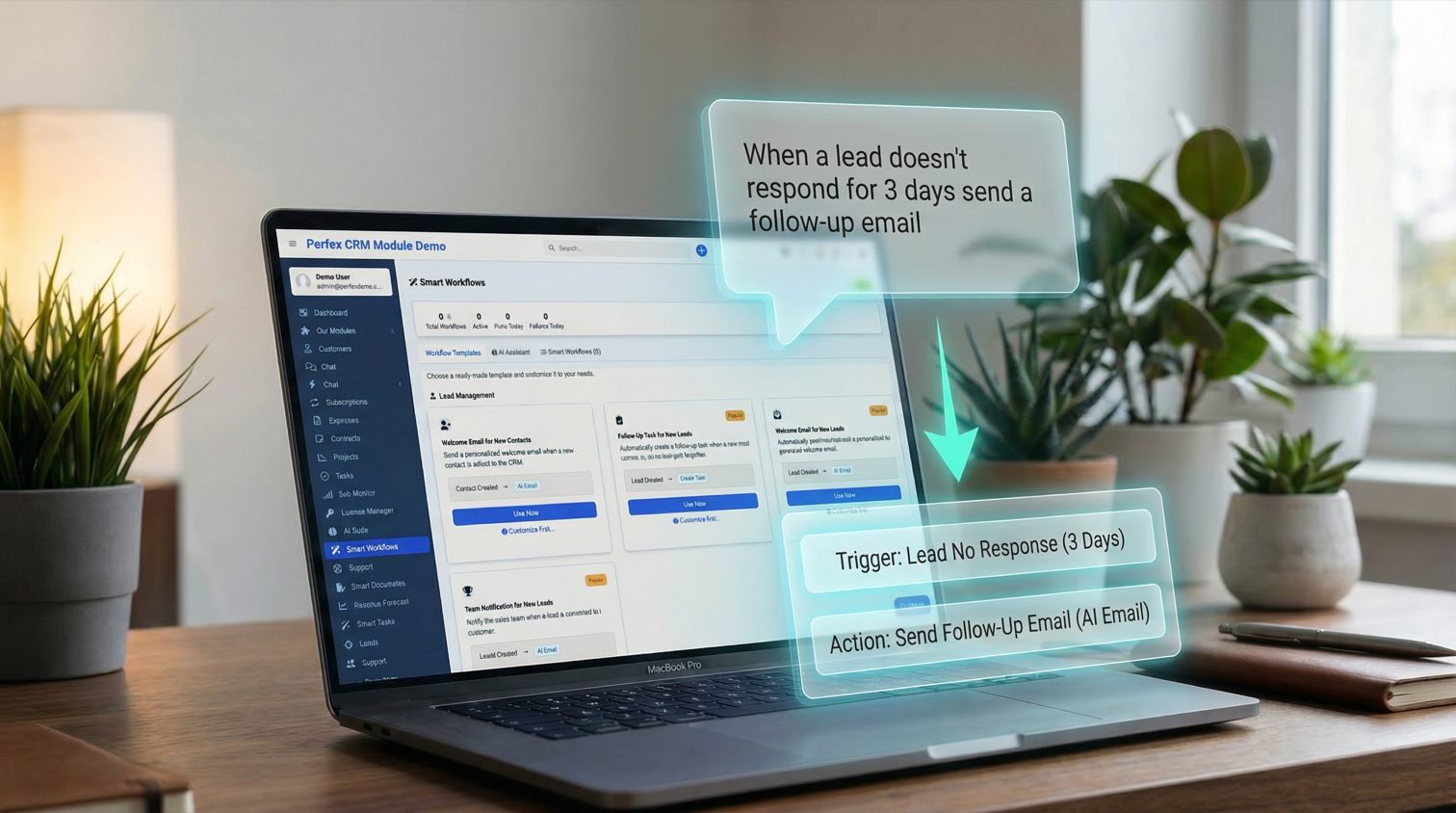
AI-powered workflow automation with templates, interview engine, and Privacy Shield
Includes 6 months of support & lifetime updates · Extend Support — €19/year
10 ready-made templates across Lead Management, Support & Tickets, Invoices & Payments, and Tasks. One click to deploy, or customize first with the AI Interview.
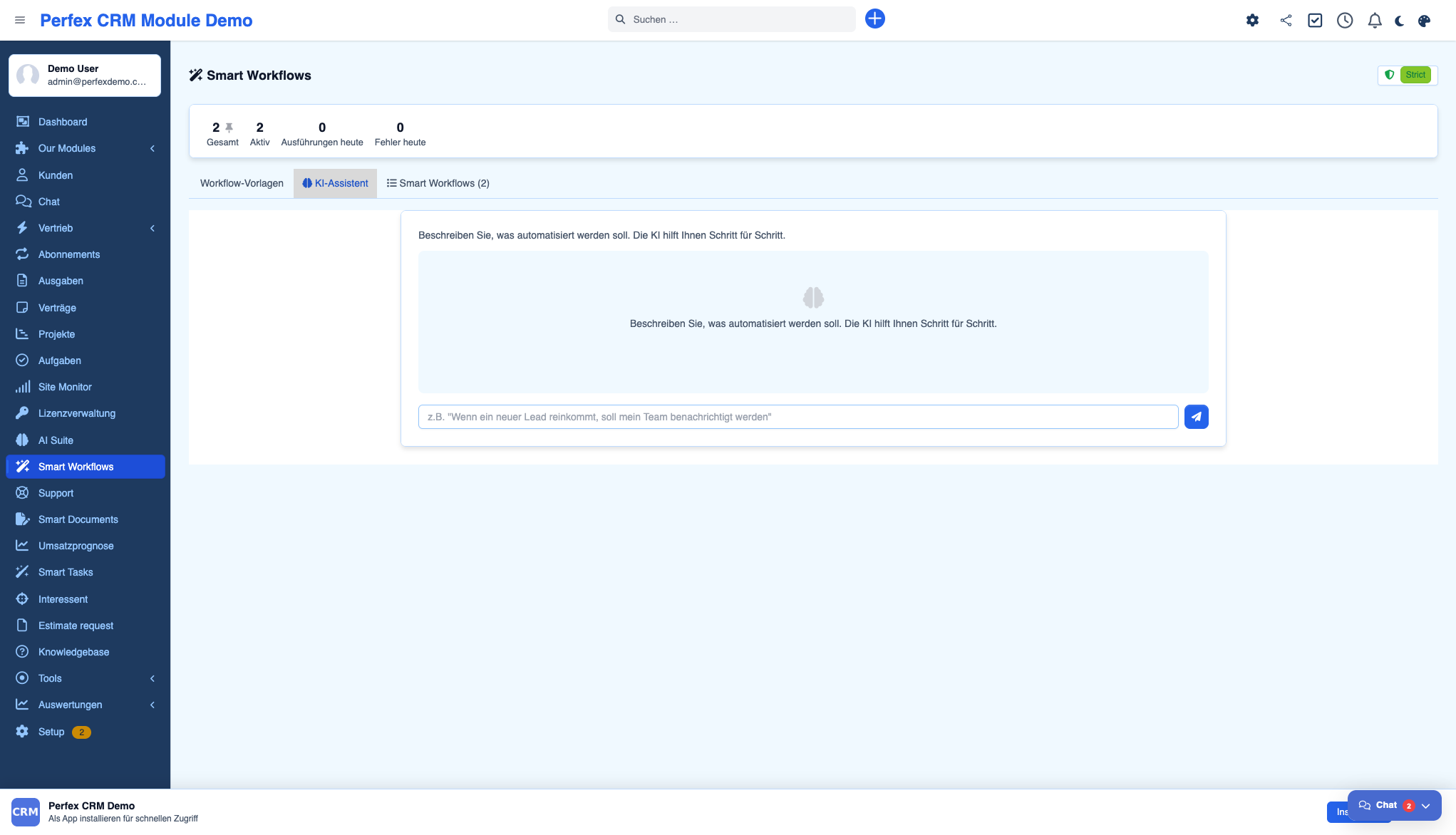
Describe what you want to automate in plain language. The AI guides you step by step — asking about triggers, conditions, and actions — then builds the workflow for you.
Full visual workflow editor for power users. Configure triggers, conditions with 12+ operators, and multi-action chains with complete control.
React to lead creation, ticket creation, invoice status changes, task status changes, contact creation, lead status changes, and more. Each trigger provides rich context data.
Send AI-generated emails, create follow-up tasks, notify staff members, run AI analysis, or call external webhooks. Chain multiple actions in a single workflow.
Three GDPR-compliant modes: Strict (no personal data sent to AI), Pseudonymized (names replaced with placeholders), and Open. Built-in audit log tracks every AI request.
Execute multiple actions in sequence from a single trigger. For example: analyze ticket sentiment, then notify the team lead, then create a follow-up task — all automatically.
Test workflows before going live. The simulation mode shows exactly what would happen without actually executing actions.
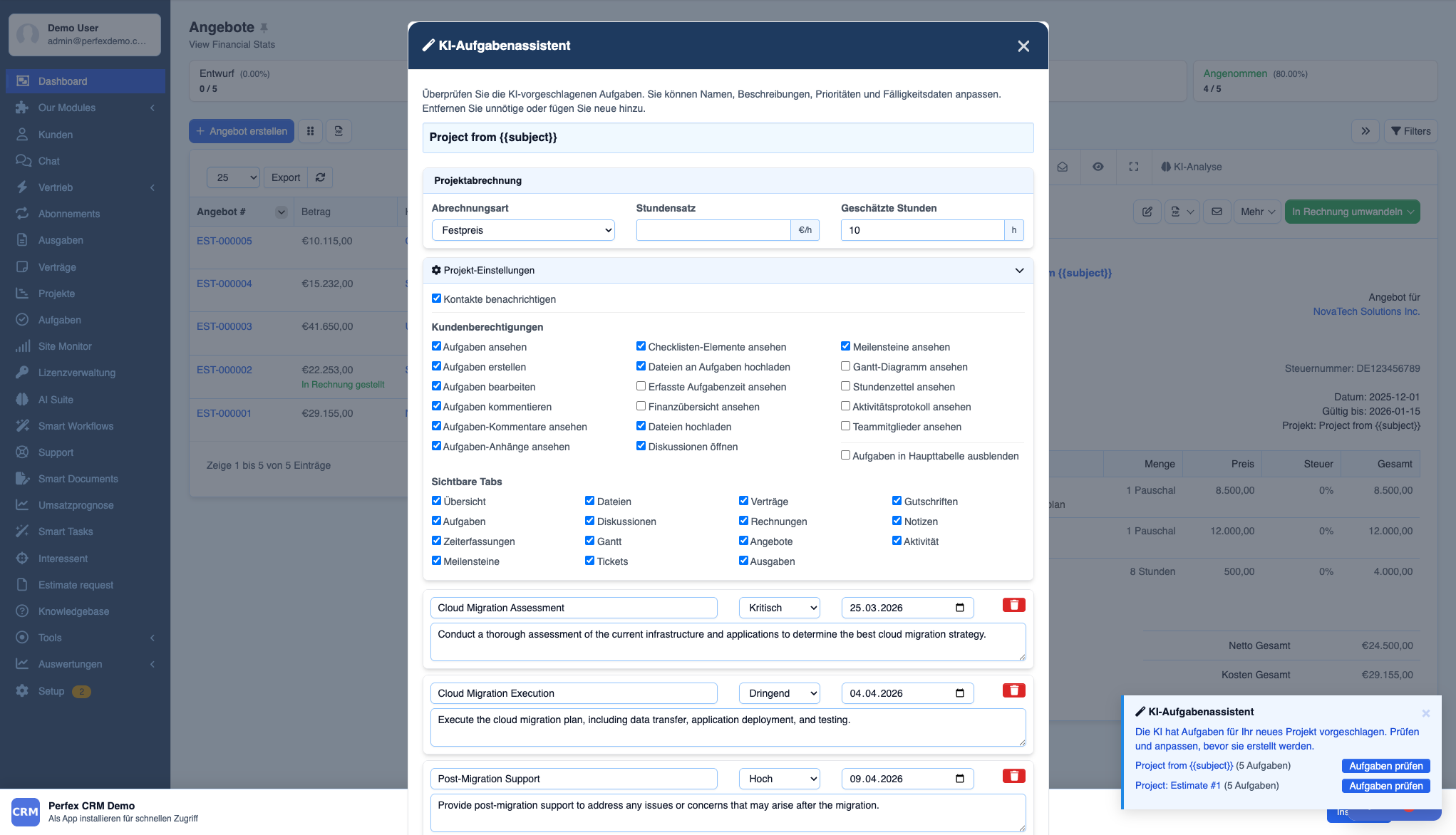
Configure AI Assistants per project — tab visibility, 18 granular permissions, and contact notifications. Settings persist per project so every team gets the right level of access.
Screenshots from the actual module running inside Perfex CRM.
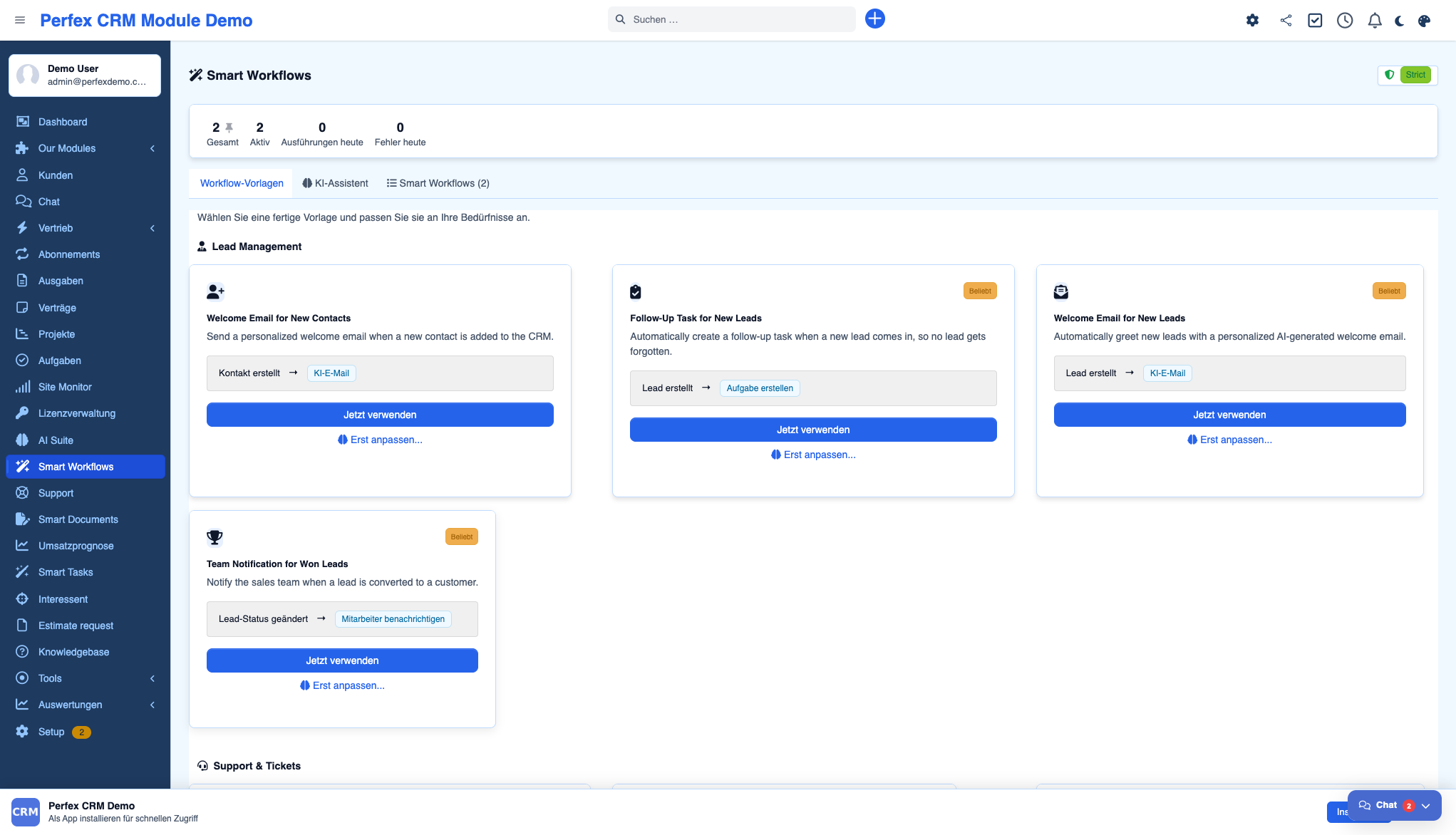
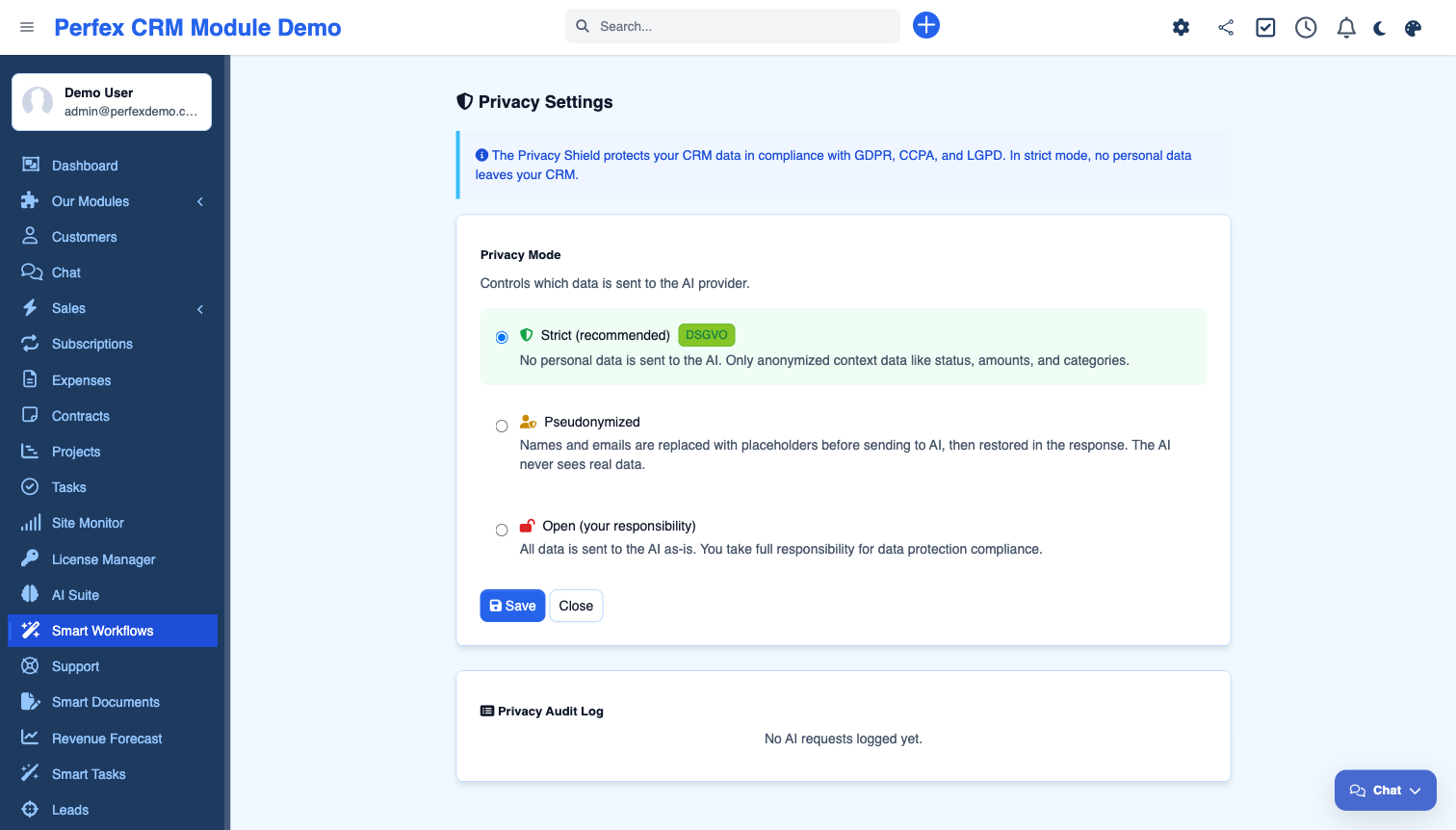
Automate your CRM processes with intelligent workflows. Smart Workflows combines 10 ready-made templates, an AI Interview engine that builds workflows through conversation, and a visual Expert Builder for complex automation. Features 8 trigger types (lead created, ticket opened, invoice status changed, and more), 5 action types (AI email, create task, notify staff, AI analysis, webhook), multi-action chains, conditional logic, and a Privacy Shield with 3 GDPR modes (Strict, Pseudonymized, Open). Replace expensive external tools like n8n or Zapier with native CRM automation.
Common questions about Smart Workflows.
Yes. Smart Workflows is an add-on that uses AI Suite Core for AI-generated emails, sentiment analysis, and the Interview engine. The template system and workflow execution work through AI Suite's infrastructure.
For CRM-related automation, yes. Smart Workflows handles lead nurturing, ticket escalation, payment reminders, and task notifications natively — without external tools, API keys, or monthly fees.
The Privacy Shield controls what data is sent to AI providers. In Strict mode (GDPR-compliant), no personal data leaves your CRM — only anonymized context. Pseudonymized mode replaces names with placeholders. Open mode sends all data as-is.
Describe your automation goal in natural language (e.g., "notify my team when a high-priority ticket comes in"). The AI asks clarifying questions about triggers, conditions, and actions, then generates a complete workflow configuration.
Yes. Multi-action chains let you execute several actions from one trigger. For example: when a ticket is created → analyze sentiment → notify team lead → create follow-up task.
Yes. The simulation mode lets you test any workflow without actually executing actions. You see exactly what would happen — which triggers fire, which conditions match, and which actions would run.
When the AI Task Assistant creates a project, you can configure tab visibility, 18 granular permissions (view tasks, create tasks, edit tasks, comments, attachments, and more), and contact notifications directly in the creation modal. Settings are saved per project in the database.
Complete AI platform for Perfex CRM — Customer 360, ticket analysis, lead scoring, and real-time streaming
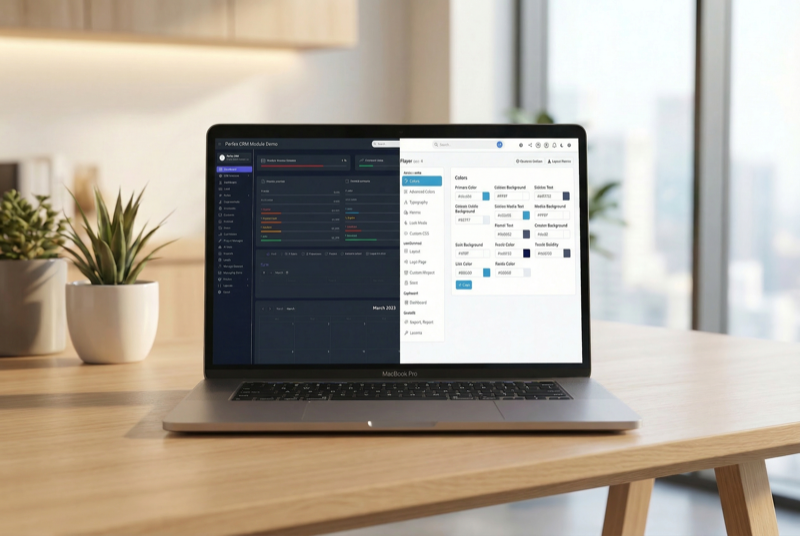
Admin theme engine with presets, dark mode, and PWA support

Assign contacts to multiple companies with roles