Site Monitor Documentation
Video Tutorial
With clickable chapters — click a chapter to jump straight to it.
Getting Started
Follow these steps to get Site Monitor up and running.
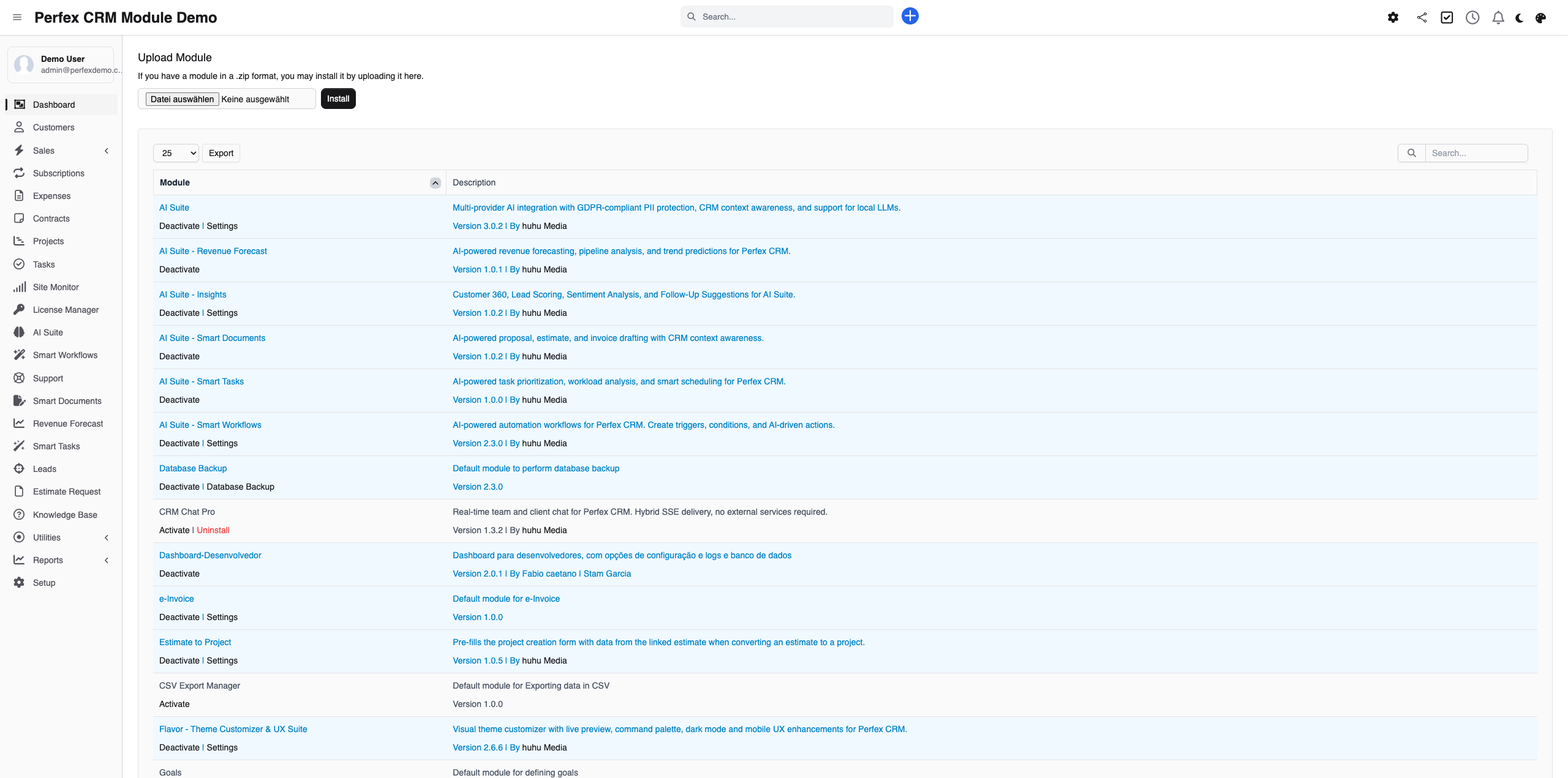
Install Site Monitor
Upload the module via Setup > Modules > Install New Module and activate it in your Perfex CRM.
Set up the worker plugin on the client site
Install the small worker plugin on the WordPress site you want to look after. It connects the site to your CRM and unlocks updates, backups and maintenance runs.
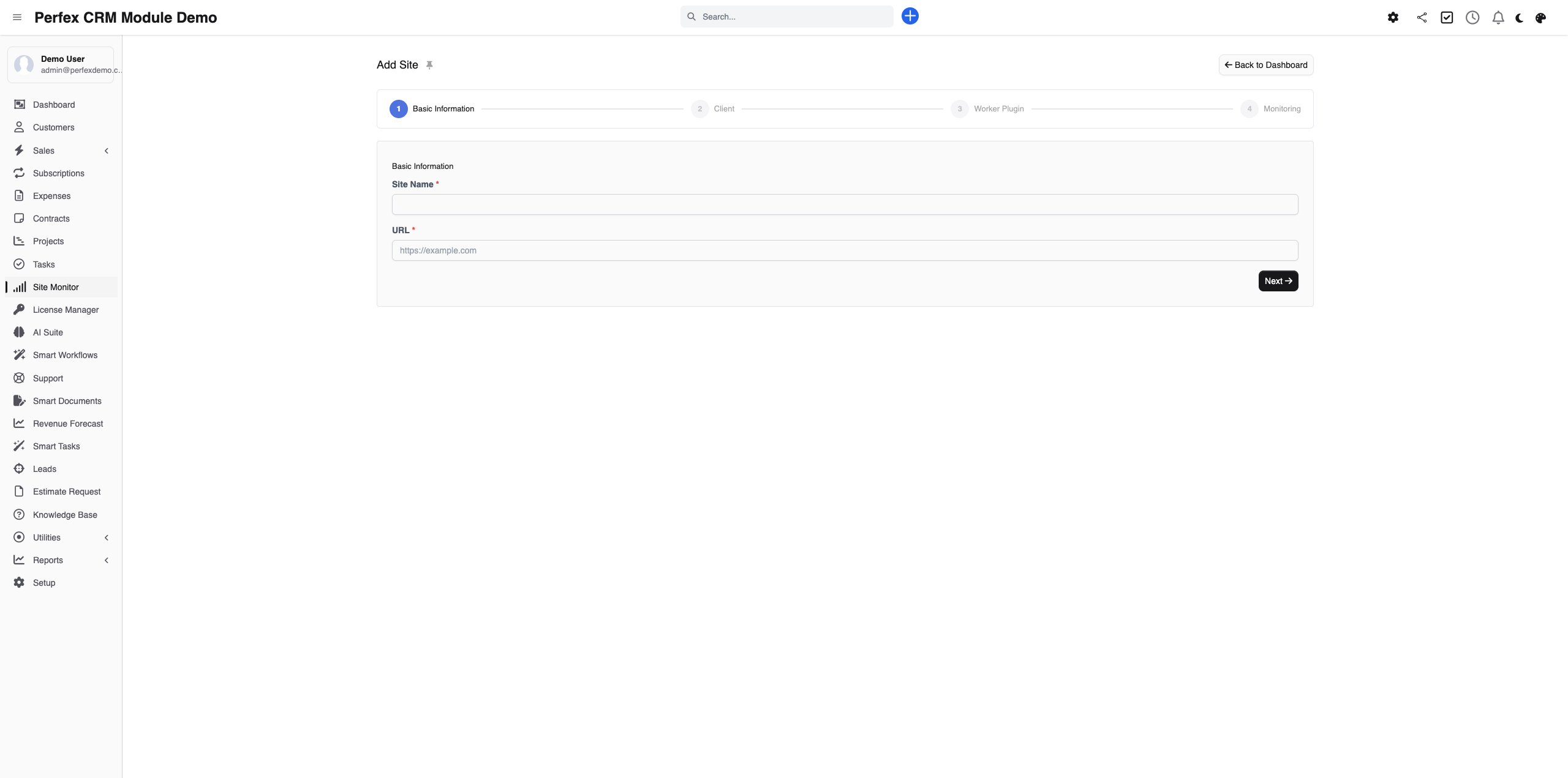
Add your first site
Open Site Monitor in the main menu, enter the URL and set the check interval, SSL warning and keyword check. Monitoring starts right away.
Schedule backups and maintenance
Set the backup schedule (daily, weekly or monthly), configure the Full Maintenance run, and link the site to the right Perfex contract.
Share the status page and enable the report
Give your client access to the public status page and switch on the monthly maintenance report. From now on your work is visible — at every login and at the end of each month.
Tips & Tricks
Get the most out of Site Monitor with these tips.
Start with the critical sites
Begin with the client sites where downtime costs you money or peace of mind. You can add more sites any time.
The status page as a sales argument
Show prospects the public status page of an existing client site. Visible uptime over 90 days sells your maintenance better than any promise.
Lock major versions deliberately
Let minor updates run automatically, but hold back big version jumps and check them by hand. It saves you nasty surprises on client sites.
Read the response-time trend
A slowly rising response time often signals a coming outage. A quick look once a week and you are ahead of the problem.
Let the report speak for you
Send the monthly report straight to the client portal. Your client sees every month what you do, and the question "what am I actually paying for?" never comes up.
Frequently Asked Questions
Does Site Monitor only work with WordPress?
Yes. Site Monitor is built for WordPress and needs a small worker plugin (mu-plugin) on the site it looks after. You install it once, then run monitoring, updates, backups and reports from Perfex CRM.
What does the worker plugin do, and why do I need it?
The plugin is the link between your CRM and the WordPress site. It reports uptime, detects updates, creates backups and runs the maintenance jobs. Without it, Site Monitor could only check from the outside whether the site is reachable; with it, you look after the site completely.
Can I look after several client sites at once?
Yes. You manage as many WordPress sites as you like from one CRM. The dashboard widget shows you the status of all of them at a glance.
What does my client see?
Two things that make your work visible: a shareable status page with 90 days of uptime, and the monthly maintenance report as a PDF, which they can also view in the Perfex client portal.
How does Site Monitor protect me from broken updates?
The Full Maintenance run creates a pre-backup before every update. On top of that, an option locks major versions and only lets minor updates through automatically, so a big version jump does not take down your client's site.
Where do the backups go?
Wherever you want. You schedule them daily, weekly or monthly, choose the scope (database only, database plus uploads, or everything) and the destination: local, via FTP or to S3. Retention decides how many backups are kept.
What is the keyword check?
You store a text that must appear on the page, for example the company name. Site Monitor checks it on every run. If it suddenly goes missing, that is a warning sign of a broken site or a defacement — often before a plain uptime check would notice.
Does Site Monitor connect to my billing?
Yes. Every monitored site can be linked to a Perfex contract. When the contract expires, monitoring pauses or you get a warning. Each maintenance run creates a task with a checklist, so nothing slips through.
Do I have to pay an external service for the maintenance?
No. There is no subscription and no third party. Site Monitor costs €39 one-time, including six months of support and lifetime updates. All data stays in your Perfex CRM.
Can I try it first?
Yes. A live demo is available where you can click through monitoring, updates, backups and reports before you buy.
Need More Help?
Contact our support team or visit the module page for more information.